Mocking Service Responses
REST-based service operations can return a configured mock response instead of calling the real endpoint. This is useful while you are still modeling a process or case, when the real service is not yet available, or when you want to exercise error handling (such as when a connection is refused) without depending on the live system.
A mock response can be defined for a whole service (a global mock response) or for a single operation (an operation mock response). Mocks are configured in the service model in Flowable Design, and whether they are actually used is controlled separately, either through a configuration property or, at runtime, from Flowable Inspect. This means you can ship a service definition that already contains mock responses and only turn them on in the environments where you want them.
Configuring mock responses in Design
Open the service model and select Mock Responses in the left-hand menu. The section is split into two parts:
- Global Mock Responses apply to every operation of the service.
- Operation Mock Responses apply to a single operation. You need at least one operation defined before you can add an operation-specific mock response.
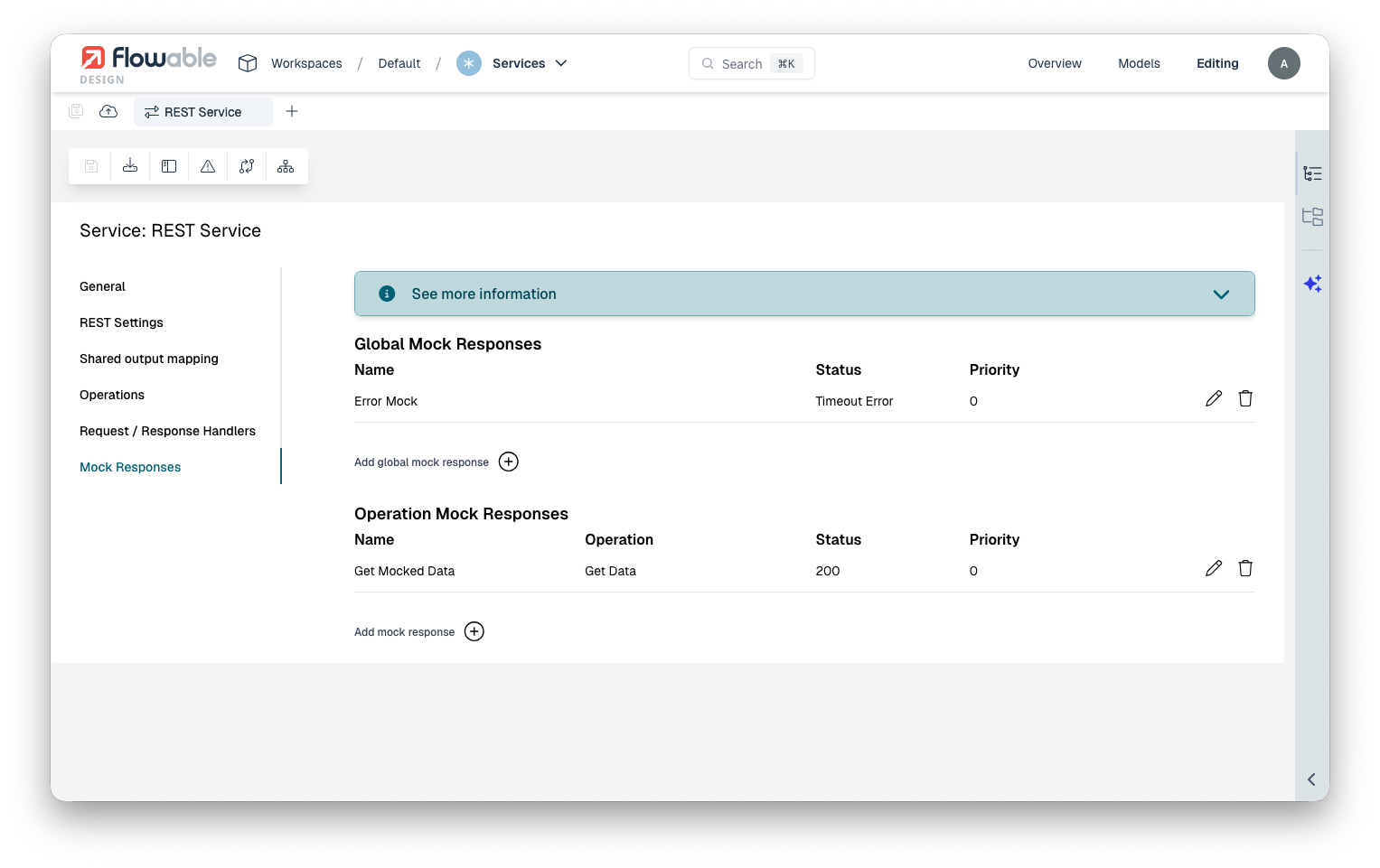
To add a mock, select Add global mock response or add one for a specific operation, then fill in the mock response details.
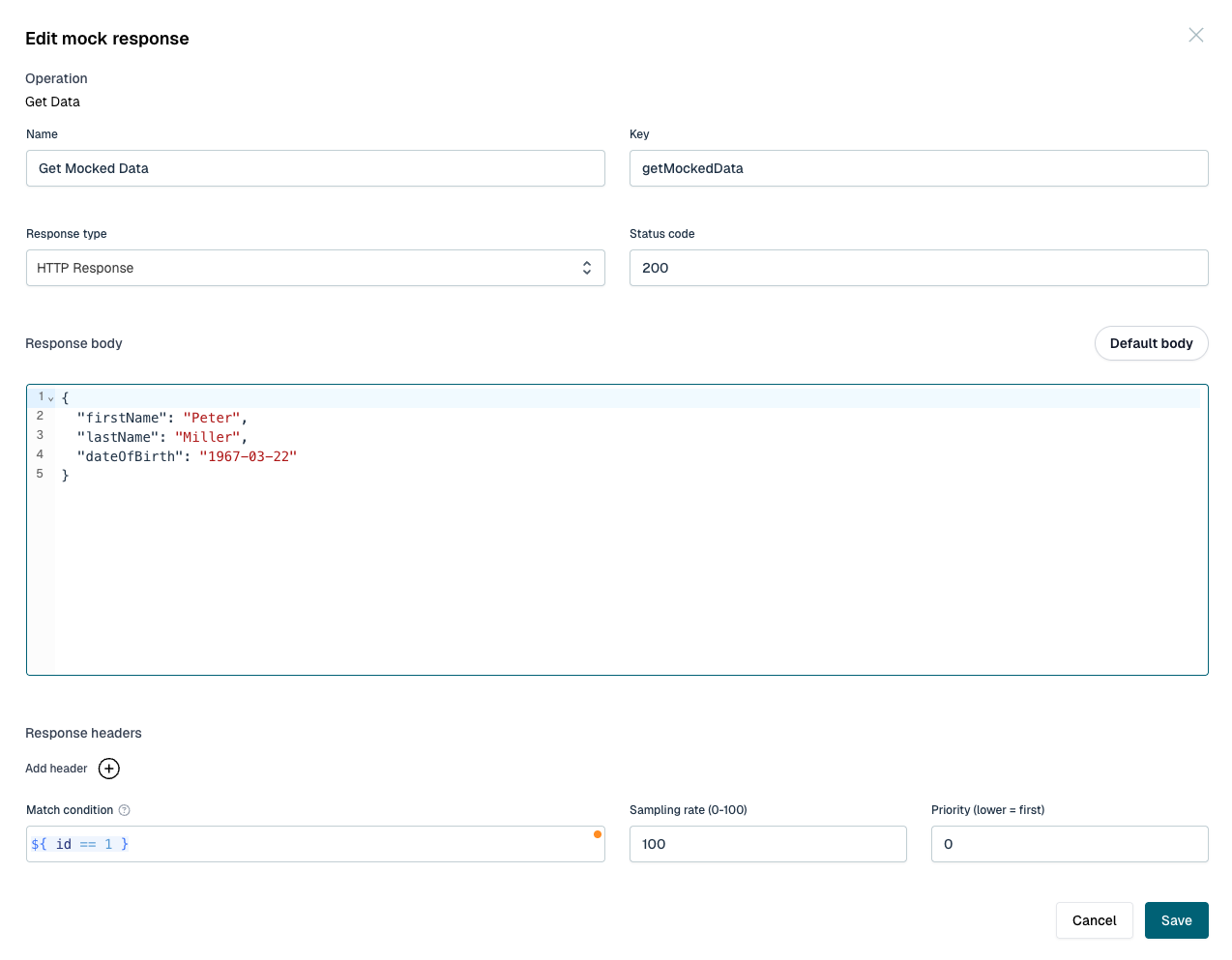
A mock response has the following settings:
- Name and Key identify the mock. The name is a label that helps you recognize the mock in the list.
- Response type determines what the mock does:
- HTTP Response returns a configured HTTP response.
- Timeout Error simulates a request that never returns in time, so the operation behaves as if the
service timed out. This mock type immediately throws an
java.net.SocketTimeoutException. - Connection Refused simulates the service being unreachable. This mock type immediately throws an
java.net.ConnectException.
- Status code is the HTTP status code returned for an HTTP Response mock (for example
200or404). - Response body is the body returned by the mock. The body can contain JUEL expressions, so you can build a response from the operation input or from process and case variables. A Default body button is available to generate a starting body from the operation's output definition.
- Response headers are the headers returned by the mock.
- Match condition is an optional expression (for example
${ id == 1 }). When set, the mock is only used if the expression evaluates totruefor the current request. Leave it empty for a mock that always applies. - Sampling rate is a percentage between 0 and 100 that controls how often the mock is used when it
matches. For example, a sampling rate of
50lets roughly half of the matching requests be mocked and the rest call the real service. This is useful for simulating an intermittently failing service. - Priority controls the order in which mocks are evaluated when more than one could apply. A lower number is evaluated first.
How a mock is selected
When mocking is enabled for an operation, Flowable evaluates the configured mocks in priority order, with lower priority numbers first. Global mock responses are considered before operation mock responses. For each mock, the match condition and the sampling rate are checked, and the first mock that matches is used to build the response. If no mock matches, the real service is called as usual.
Enabling mocks through a property
Defining a mock response does not by itself replace the real call. To use mocks by default in an environment, enable them with a configuration property in Flowable Work.
To enable mocking for a single service definition, use its key:
flowable.service-registry.rest-settings.myService.mockEnabled=true
To enable mocking for all REST services by default, use default instead of a service key:
flowable.service-registry.rest-settings.default.mockEnabled=true
A setting for a specific service definition takes precedence over the default setting. When no value is
configured for either the service or the default, mocking is off and the real service is always called.
 note
noteMocking only applies to REST-based service definitions.
Enabling mocks at runtime in Flowable Inspect
Mocking can also be turned on and off at runtime from Flowable Inspect, without changing any property or redeploying. This is described in the Flowable Inspect User Guide. A runtime setting made in Inspect takes precedence over the property described above, so you can leave mocking off by default and switch it on only while investigating or testing a model.
When a call is served by a mock, Flowable Inspect marks that call as mocked, so you can always tell a mocked call apart from a call that reached the real service.