Agent Connections
An Agent Connection lets administrators centrally manage the model settings that agents use, such as the AI vendor, model and credentials. Instead of configuring these settings inline on every agent, an agent references a connection by a stable key.
Managing connections centrally means you can:
- Update the model, credentials or vendor in one place, and every agent that references the connection picks up the change on its next run, without republishing the agent models.
- Govern the AI endpoints, models and credentials in use from a single catalog.
- Reuse the same connection across many agents instead of duplicating the configuration.
To learn more about the available fields, see Model Settings.
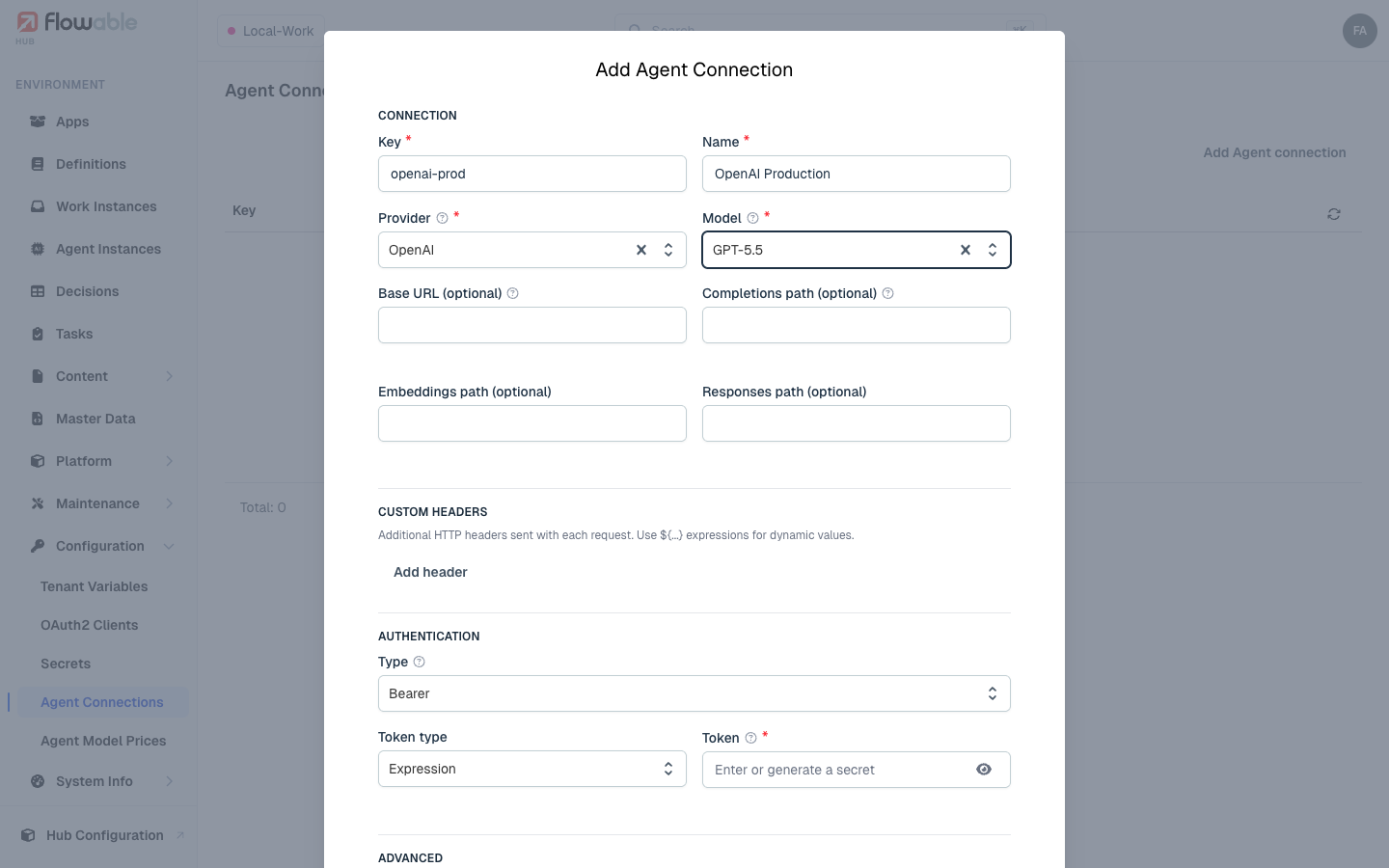
Managing connections in Flowable Hub
Cloud and Hub-managed environments manage connections in Configuration > Agent Connections for the selected environment. Choose Add Agent connection, fill in the settings and save. The connection is then selectable from Design by its key.
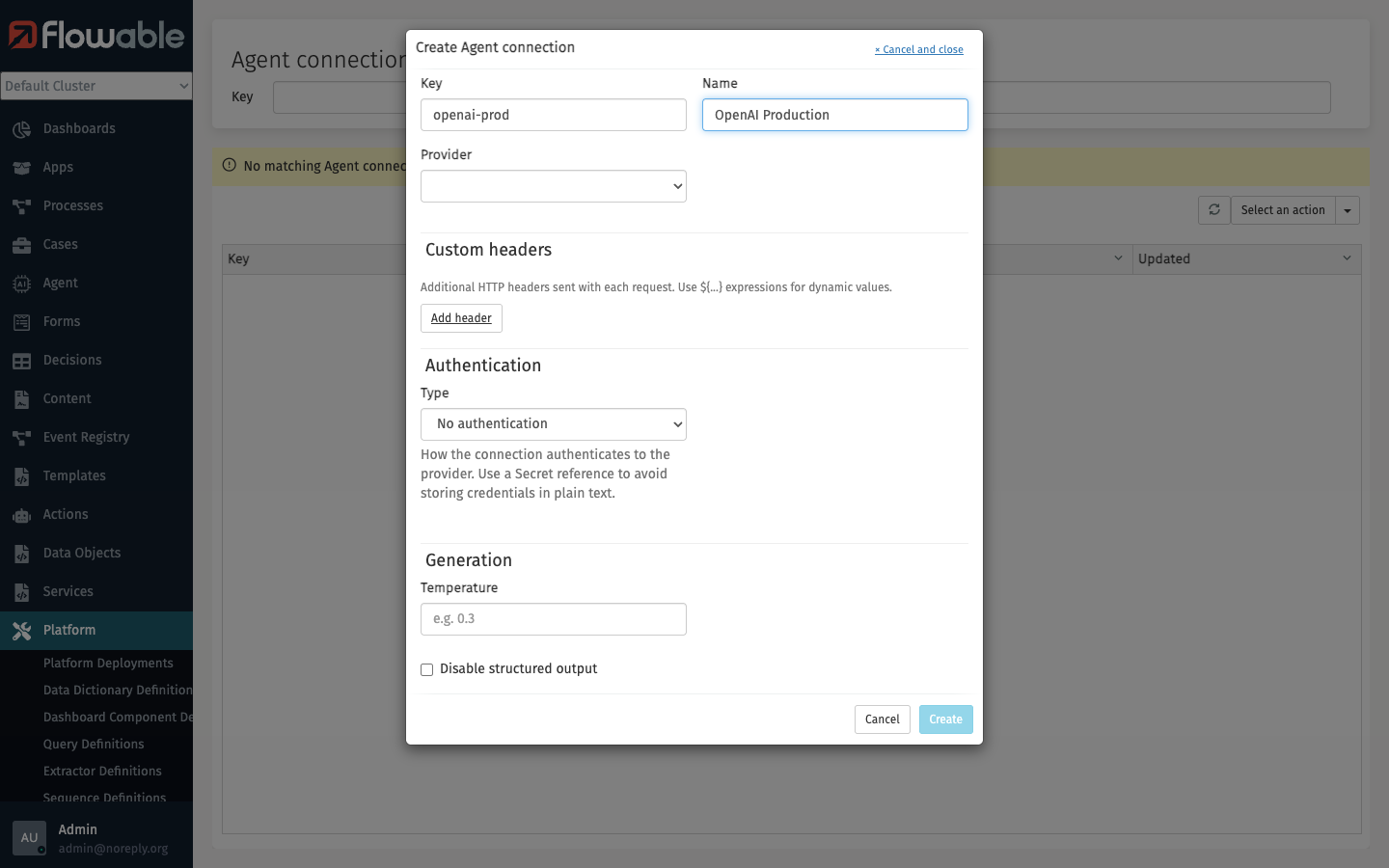
Managing connections in Flowable Control
On-premise and self-managed environments manage connections in Platform > Agent Connections. Click the action menu, choose Create (or Edit for an existing connection), fill in the settings and save.
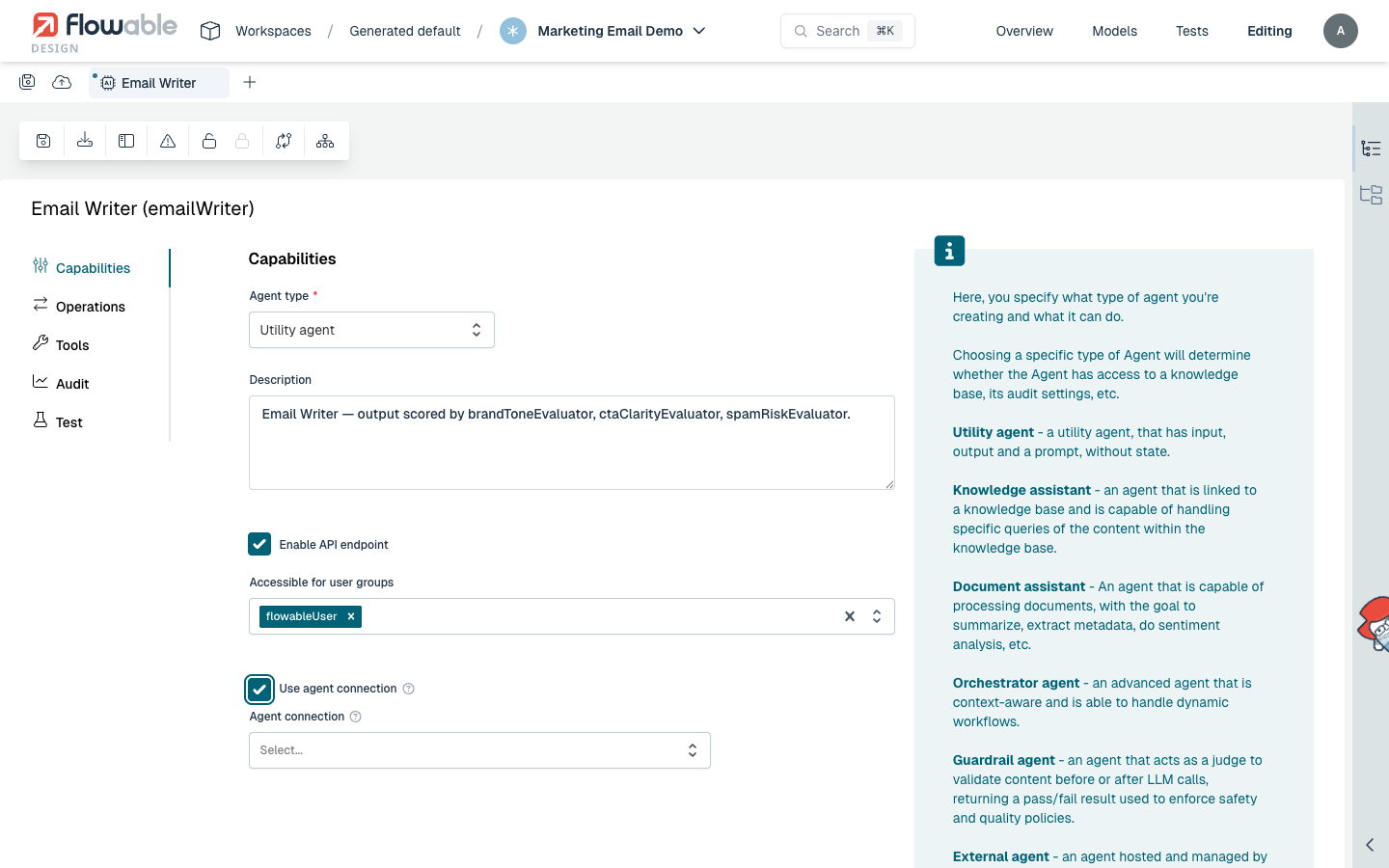
Referencing a connection from Design
In the agent model's Capabilities tab, enable Use agent connection and choose a connection from the Agent connection picker. You can also type a key directly if the catalog is unavailable.