Model Settings
The Model Settings define how AI models are used during agent execution in Flowable. These settings are essential for specifying the AI vendor, model, temperature, and authentication method.
 How to access model settings
Model Settings become available when Advanced Configuration is enabled for an agent model.
 Centrally managed alternative
Instead of configuring the vendor, model and credentials inline on each agent, you can reference a shared, admin-managed Agent Connection by key. The two options are mutually exclusive per agent.
- See the AI Setup Guide for centralized configuration setup.
Enabling Advanced Configuration
To configure model settings, first tick Enable advanced configuration in the Capabilities tab of the agent:
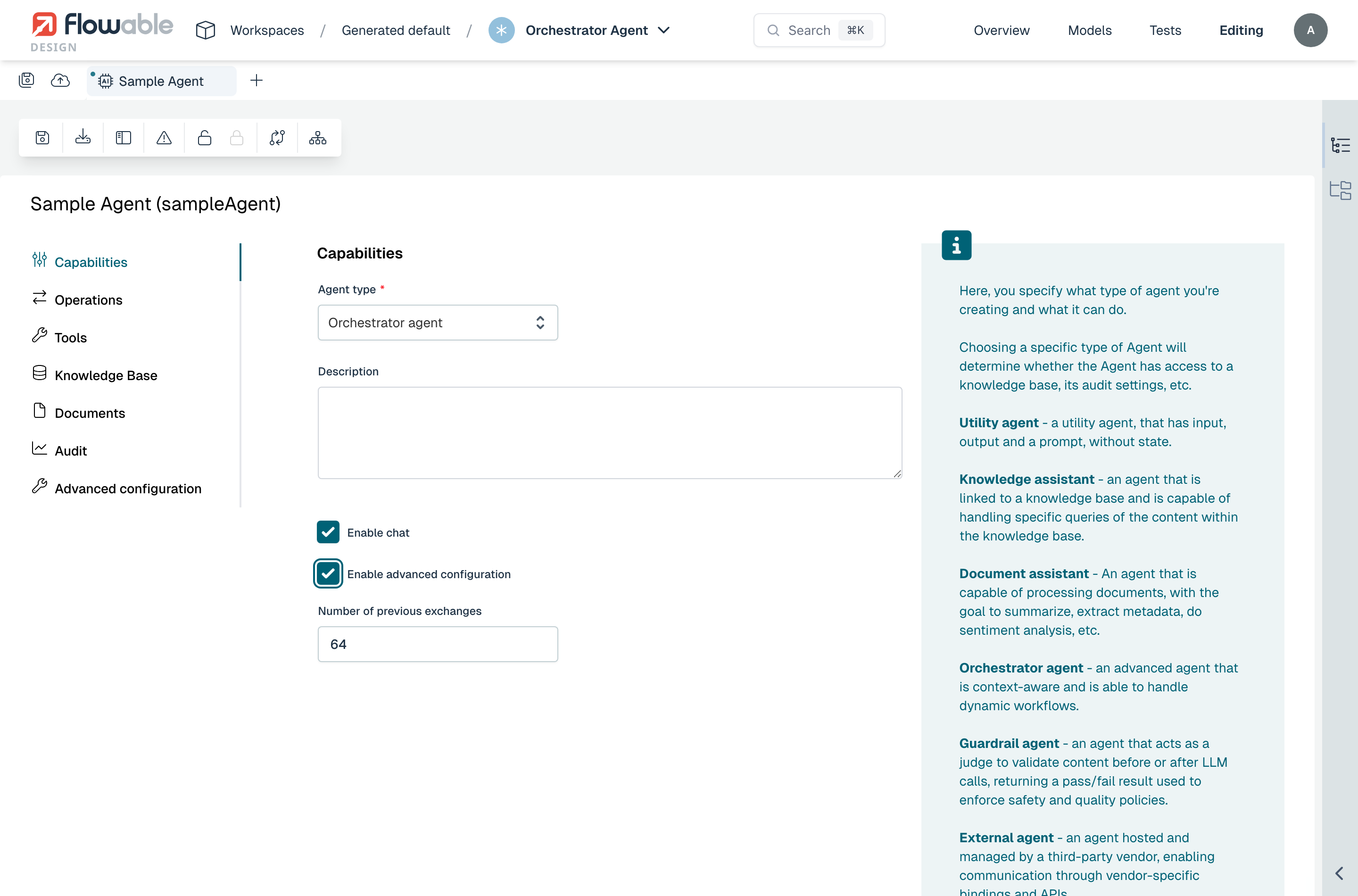
Once enabled, an Advanced configuration entry appears in the left-hand menu. Open it to access the model settings:
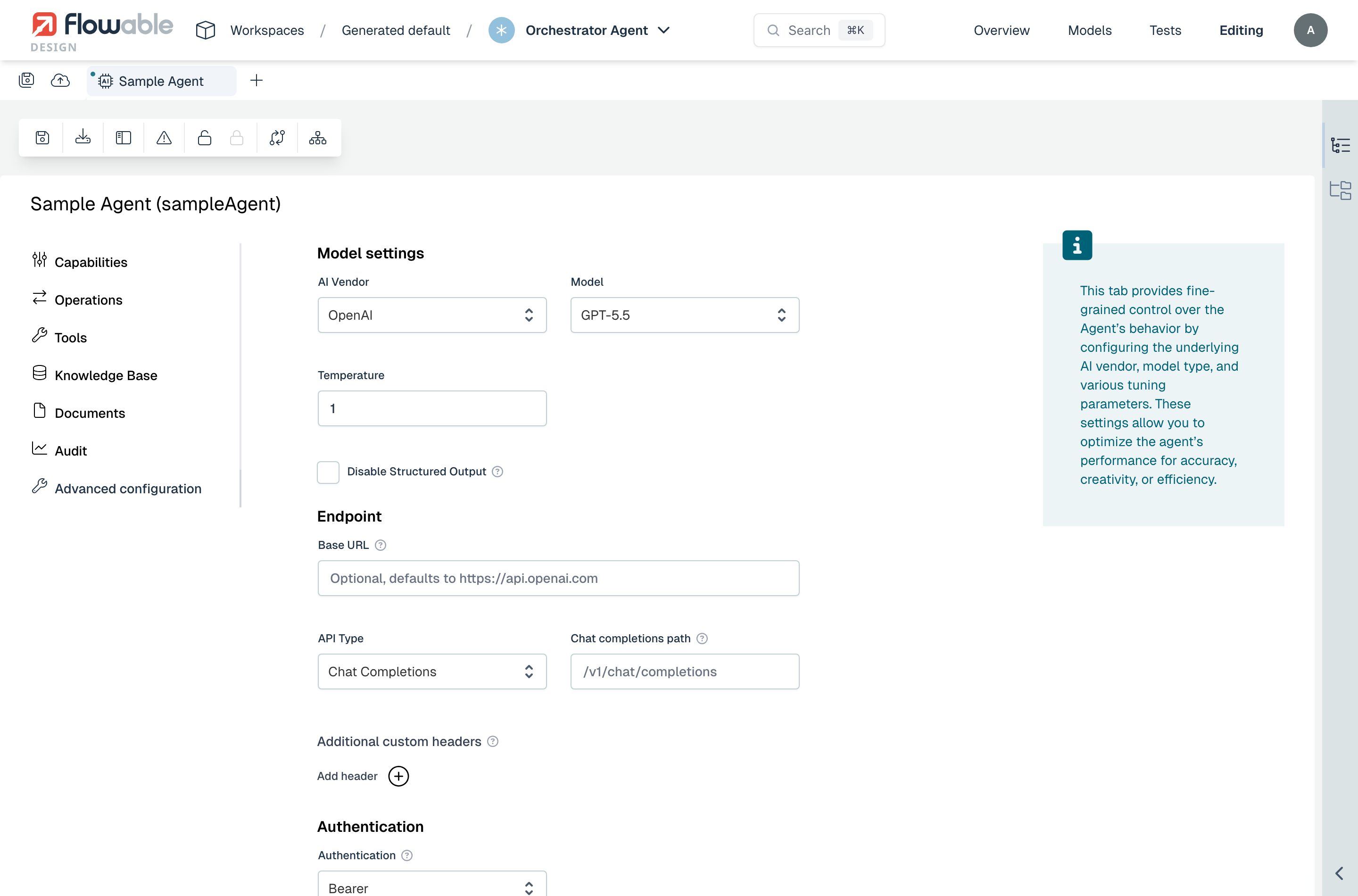
The settings are grouped into Model settings, Endpoint, Additional custom headers, and Authentication.
Supported AI Vendors
Flowable currently supports the following AI vendors:
- OpenAI – also covers any OpenAI REST API-compatible provider (such as a locally hosted LLM, Ollama, vLLM, or a third-party hosted model) via a custom endpoint
- Anthropic – also covers any Anthropic-compatible provider via the same custom endpoint fields
- Azure OpenAI – a custom endpoint URL is configured directly on the Azure vendor
Each vendor supports different models and may require specific configuration details.
Configurable Options
When defining a model configuration, you can set:
- Vendor – Choose from OpenAI, Anthropic, or Azure OpenAI
- Model – Define the specific model to use (e.g.,
gpt-4,claude-3-opus, etc.) - Temperature – Controls the randomness or determinism of responses
- Base URL / path – Optional endpoint overrides for the OpenAI and Anthropic vendors. For OpenAI, an API Type selects between Chat Completions and Responses.
- Additional custom headers – Optional extra HTTP headers sent on every request (see Additional custom headers)
- Authentication – Configure how the agent authenticates against the model provider
Custom provider endpoints
2025.2.07+ 2026.1+For the OpenAI and Anthropic vendors, an agent can be pointed at any provider that implements the matching REST API surface. This is useful for locally hosted models (e.g., Ollama, vLLM), reverse proxies in front of the official APIs, or third-party hosted models that expose a compatible surface.
For Azure OpenAI, the endpoint is configured on the Azure vendor itself and the fields below do not apply.
OpenAI
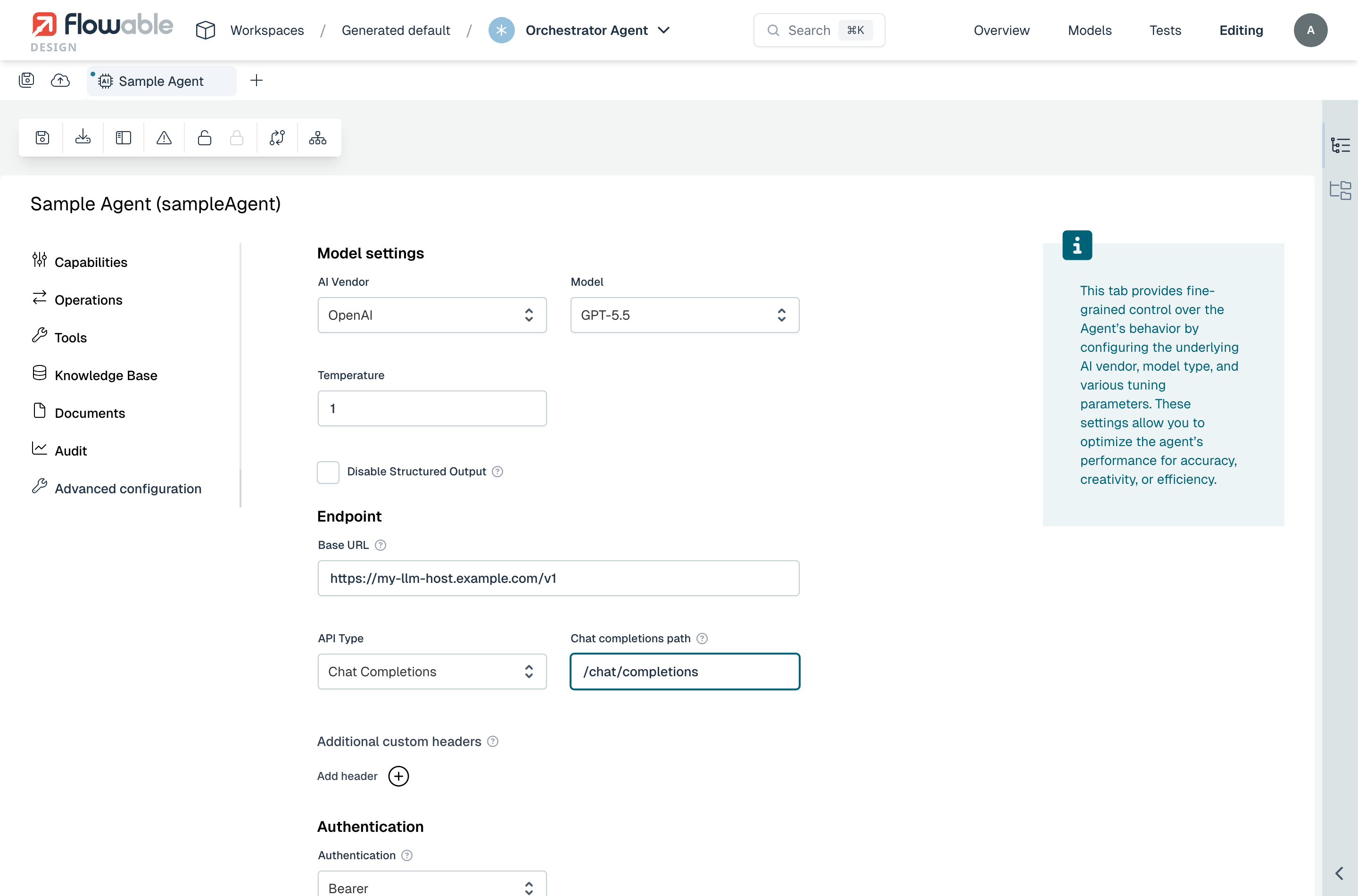
When the OpenAI vendor is selected, the following fields are available:
- Base URL – Overrides the default
https://api.openai.com. Set this to the root URL of the OpenAI-compatible provider. - API Type – Selects which OpenAI API surface the agent talks to:
- Chat Completions – The classic
/v1/chat/completionsendpoint. Recommended for the broadest provider compatibility. - Responses – OpenAI's newer
/v1/responsesendpoint.
- Chat Completions – The classic
- Chat completions path / Responses path – Overrides the default path for the selected API type (
/v1/chat/completionsor/v1/responses). The agent sends requests to Base URL + path. The label of this field changes depending on the API Type selected.
Anthropic
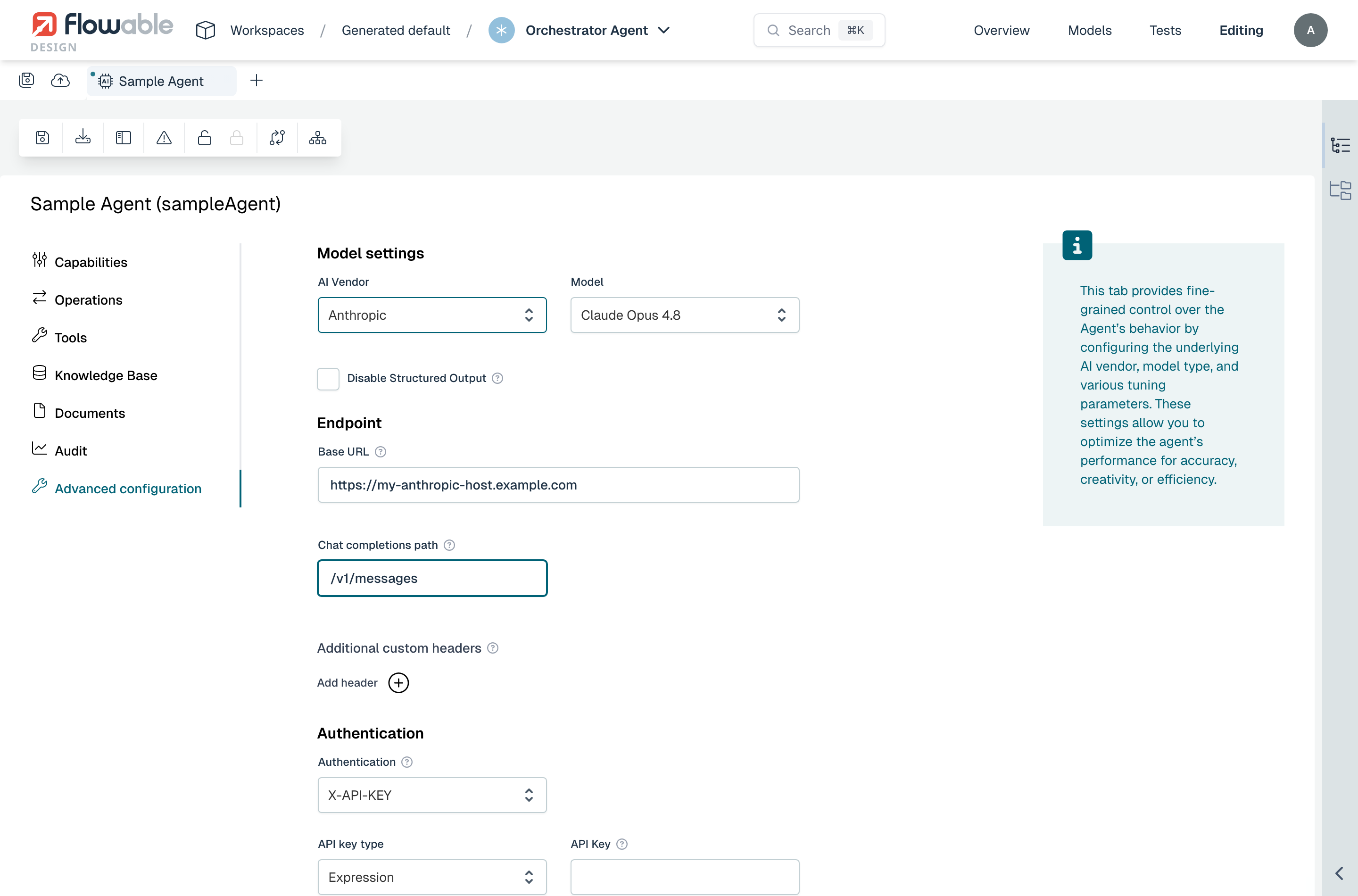
When the Anthropic vendor is selected, the following fields are available:
- Base URL – Overrides the default
https://api.anthropic.com. Set this to the root URL of the Anthropic-compatible provider. - Chat completions path – Overrides the default
/v1/messages. The agent sends requests to Base URL + path.
Validation
 note
noteA custom path requires a Base URL to be set. Without a base URL the model validator will report an error.
Additional custom headers
2026.1+Besides the authentication credential, an agent can send any number of additional custom headers on every request to the model provider. This is useful for providers that expect extra metadata alongside each request — for example a use case identifier, a routing or tenant header, or an access token expected in a non-standard header.
In the Advanced configuration section, under Additional custom headers, click
Add header and provide a name and a value for each header. The value can be a
literal string or an expression that is resolved when the agent runs (for example
${accessToken}).
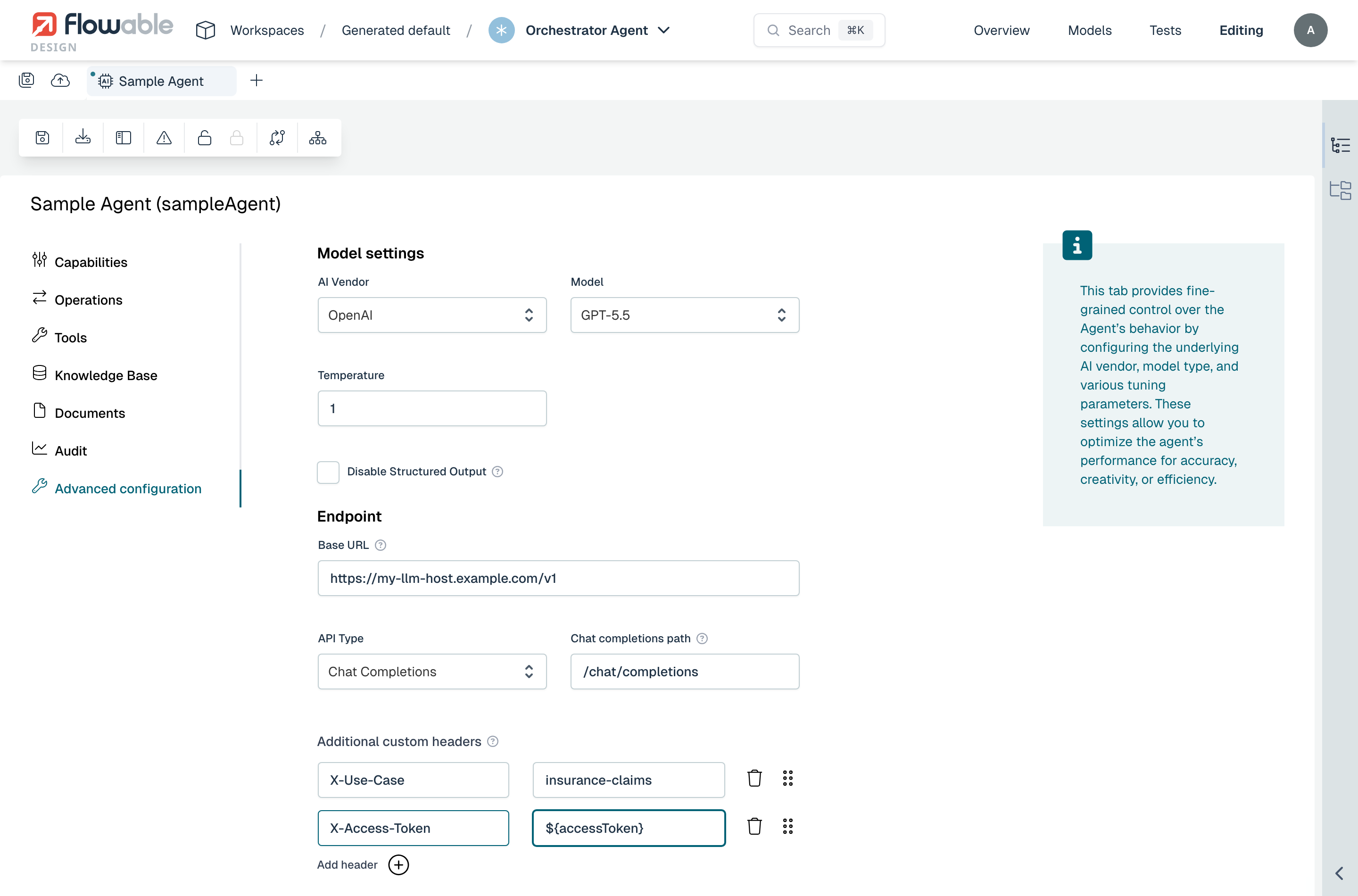
These headers are sent in addition to any header set by the selected authentication type.
Authentication
2025.2.07+ 2026.1+Each agent model declares how the agent should authenticate against the configured provider. The same authentication picker is shared between agents and MCP services, so the available options behave the same way in both editors.
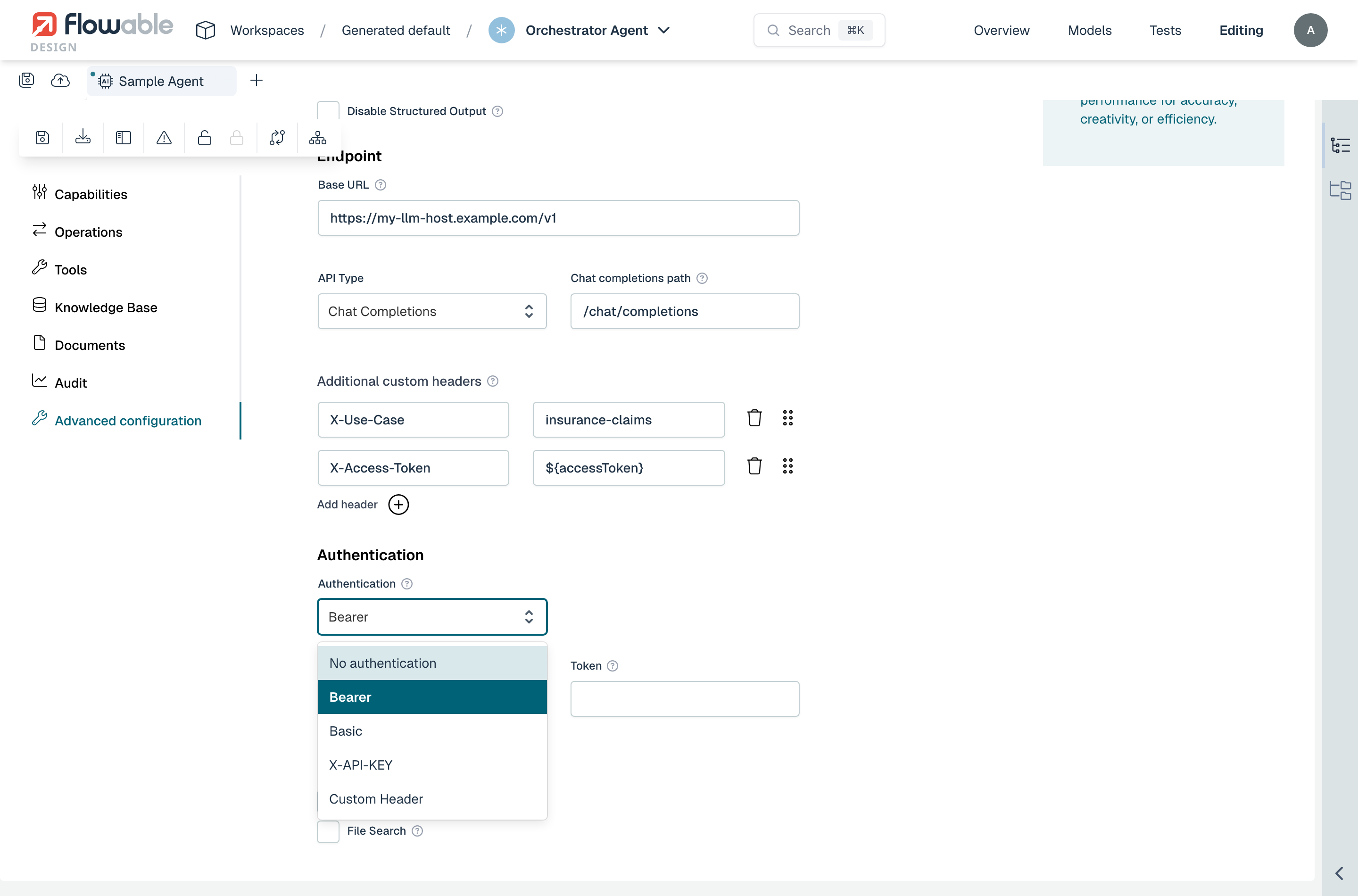
The following types are supported:
- No authentication – The agent sends no credentials. Use this for providers that don't require authentication (e.g., a locally hosted LLM).
- Basic – Sends an
Authorization: Basic <base64(username:password)>header. Requires a Username and a Password. - Bearer – Sends an
Authorization: Bearer <token>header. Requires a Token. - X-API-KEY – Sends the credential in an
X-API-KEYheader. Requires an API Key. - Custom Header – Sends a credential in an arbitrary header. Requires a Header name and a Header value.
Backward compatibilityAgents created before this feature was introduced used a single apiKey field on the model settings.
Such agents continue to work without changes — at load time the legacy field is migrated to the new authentication block
based on the vendor (OpenAI → Bearer, Anthropic → Custom Header with x-api-key, Azure OpenAI → Custom Header with api-key, or Bearer when an OAuth2 client is configured).
Credential sources
For every credential-bearing field (Basic password, Bearer token, API Key, Custom Header value) you can choose how the value is provided at runtime:
- Expression – A JUEL expression that is resolved at runtime. The expression can read from the process / case context, environment, or any variable available to the agent.
- Secret – A reference to a secret managed in Flowable Control (on-premise) or Flowable Hub (cloud). Recommended for production.
- OAuth2 Client – A reference to a configured OAuth2 client. Available for Bearer and Custom Header credentials. The token is fetched dynamically using the client's credentials flow.
The basic password and API Key fields support Expression and Secret. Bearer and Custom Header credentials additionally support OAuth2 Client.
Flowable Control
To manage secrets in Flowable Control, go to Platform > Secrets, click the arrow next to Select an action, and choose Create:
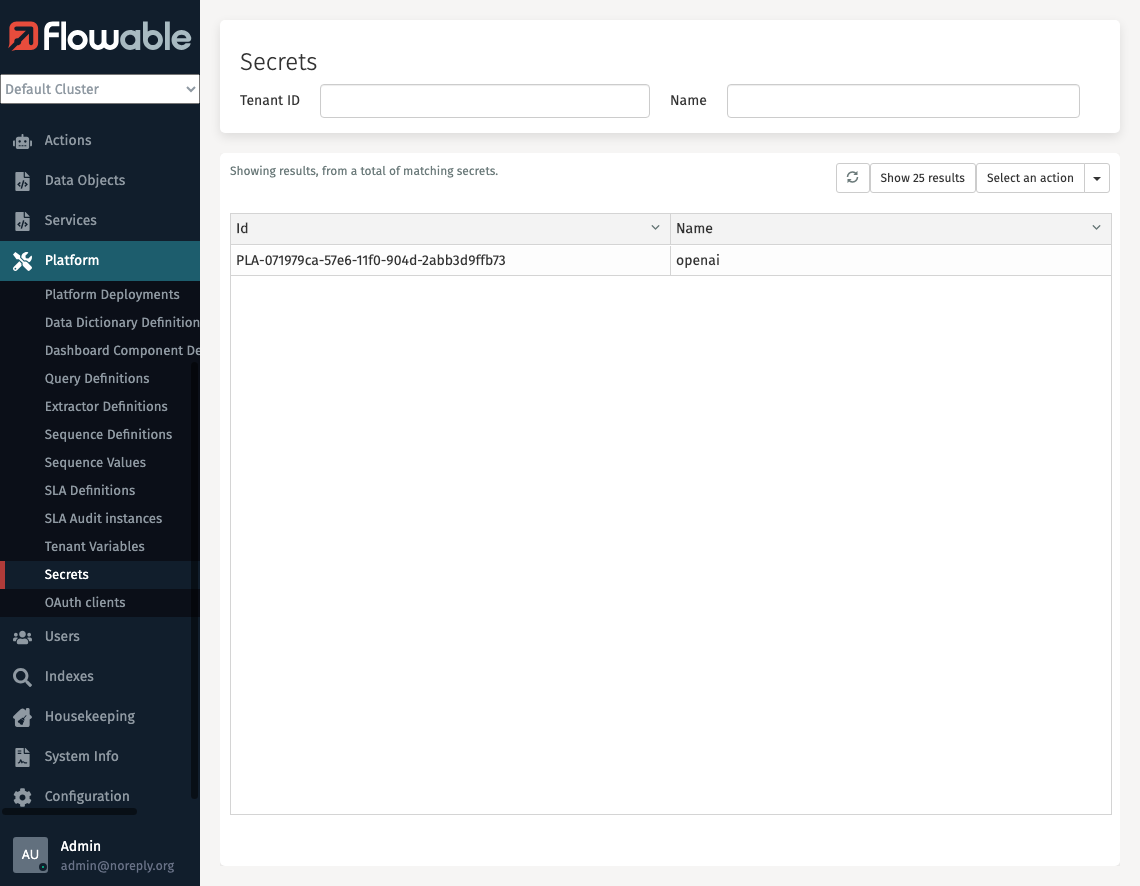
To register an OAuth2 client, go to Platform > OAuth clients and create a new entry. The registration key entered there is what you reference from the agent's authentication picker.
This ensures secure and centralized management of credentials for on-premise or self-managed installations.
Flowable Hub (Cloud only)
For cloud customers, secrets can be securely managed via Flowable Hub. Go to Environment > Secrets and click Add secret:
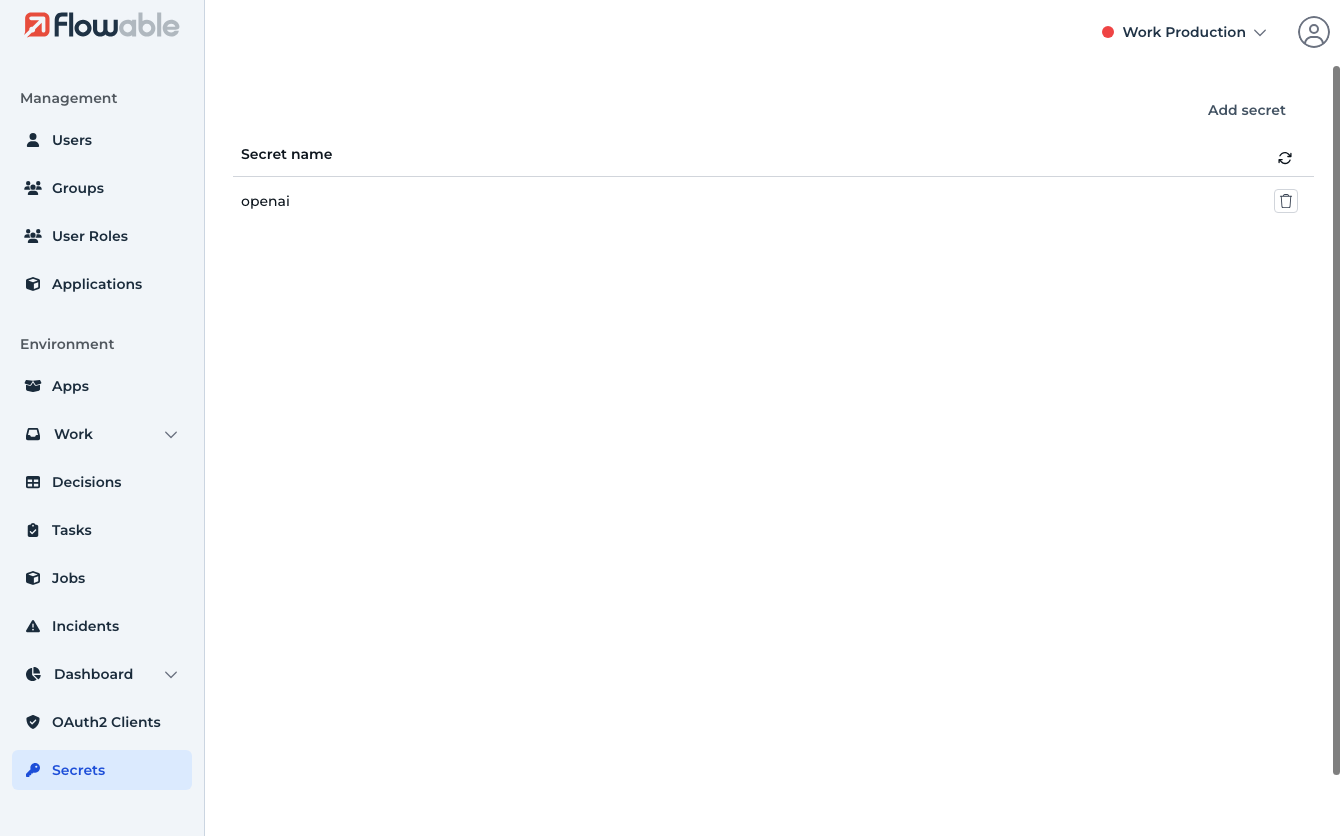
This provides the same secure handling of secrets across cloud-managed environments.
Summary
-
Model Settings define which AI vendor and model an agent uses
-
Advanced Configuration must be enabled to access these options
-
Supports OpenAI, Anthropic, and Azure OpenAI; the OpenAI and Anthropic vendors can additionally target any compatible provider via a custom Base URL and path
-
Additional custom headers can be sent on every request, alongside the authentication credential
-
Authentication supports No authentication, Basic, Bearer, X-API-KEY, and Custom Header
-
Credentials can be provided as an expression, a secret, or via an OAuth2 client, managed in Flowable Control (on-prem) or Flowable Hub (cloud)
-
Agents using the legacy
apiKeyfield continue to work and are migrated automatically -
See AI Model Setup Guide for centralized configuration setup