Cost Calculation
Agents that call a Large Language Model (LLM) consume tokens, and tokens typically cost money (it's possible to run so-called local models without billing associated to it, but for the sake of this section let's assume this is about LLM models with e.g. a paid API key). Flowable can translate that token usage into a monetary cost by combining the token counts captured during auditing with per-model prices that you configure. This lets you monitor LLM spend per model, per agent and over time.
 warning
The cost shown is an estimate, not authoritative billing. It is derived from the token counts captured during auditing and the per-model prices you configure, and is intended for monitoring and trend analysis. It may differ from the amounts your model provider actually bills, due to rounding, prompt caching nuances, provider-side pricing changes and unpriced models. The same applies to the figures in the Agent Timeline, the Agent cost dashboard and the PDF export.
How the cost is calculated
The cost calculation builds directly on the token counts recorded by the agent audit:
- Token usage is captured per agent invocation when Log low-level exchange is enabled on the agent's Audit tab (see Auditing). Without this, there is no token data to price.
- Tokens are split into input (request) tokens, output (response) tokens and, for models that support prompt caching, cached tokens.
- Each model has a price with an input, output and optional cached rate, expressed as an amount per 1,000,000 tokens (matching the way model providers usually publish their rates).
The cost of an invocation is then:
cost = (inputTokens  × inputPrice
      + outputTokens × outputPrice
      + cachedTokens × cachedPrice) / 1,000,000
summed across all invocations in the selected period.
A model for which no matching price has been configured is reported as unpriced: its tokens are still counted, but no cost is shown for it.
Cached tokens
Many providers can serve part of a repeated prompt from a prompt cache at a reduced rate. Flowable records this as cached tokens and prices them with the model's optional cached rate.
The three counts are kept as disjoint buckets: the input count holds only the non-cached prompt
tokens, cached tokens are counted separately, and output tokens are the response. A cached token is
therefore priced exactly once (at the cached rate) and is never also counted as an input token, and
the total token count is simply input + cached + output.
Providers report cached usage differently. Technically, providers expose these token counts in their own way in their APIs, so Flowable normalizes the reported tokens into the disjoint schema described above:
- OpenAI reports cached tokens as a subset of the prompt (input) tokens. Flowable normalizes this by subtracting the cached tokens from the input count, so the input bucket holds only the non-cached prompt tokens.
- Anthropic reports the cache-read tokens separately from the input tokens — they are not part of the input count to begin with — so no adjustment is needed.
 note
noteIt is currently not possible to enable prompt caching for Anthropic models from within Flowable, so
Anthropic invocations report 0 cached tokens for now. Support for indicating caching on an Anthropic
prompt is coming soon.
Model prices
The rates you configure typically come from your model provider's public pricing. See for example OpenAI pricing and Anthropic (Claude) pricing.
A price entry consists of:
| Field | Description |
|---|---|
| Model prefix | The model name (or a leading part of it) the price applies to, e.g. claude-opus-4-8 or gpt-5.5. |
| Input price | Cost per 1,000,000 input (request) tokens. |
| Output price | Cost per 1,000,000 output (response) tokens. |
| Cached price | (Optional) Cost per 1,000,000 cached tokens, for models that support prompt caching. |
Prefix matching
A price is matched to a model by longest matching prefix. A price configured for the prefix
claude-opus-4 therefore applies to claude-opus-4-8, claude-opus-4-7 and so on. To override the
price for a specific model, add a more specific entry (e.g. claude-opus-4-8) — the longest matching
prefix always wins.
Tenants and defaults
Prices are stored per tenant. A tenant that has no price of its own for a model inherits the default (shared) price, so you can define a baseline set of prices centrally and only override them per tenant where needed.
 info
infoPrices are not added by default. Until you configure a price for a model, its usage is shown as unpriced.
Configuring model prices
Model prices are managed per environment in Hub or Control, under Configuration → Agent Model Prices.
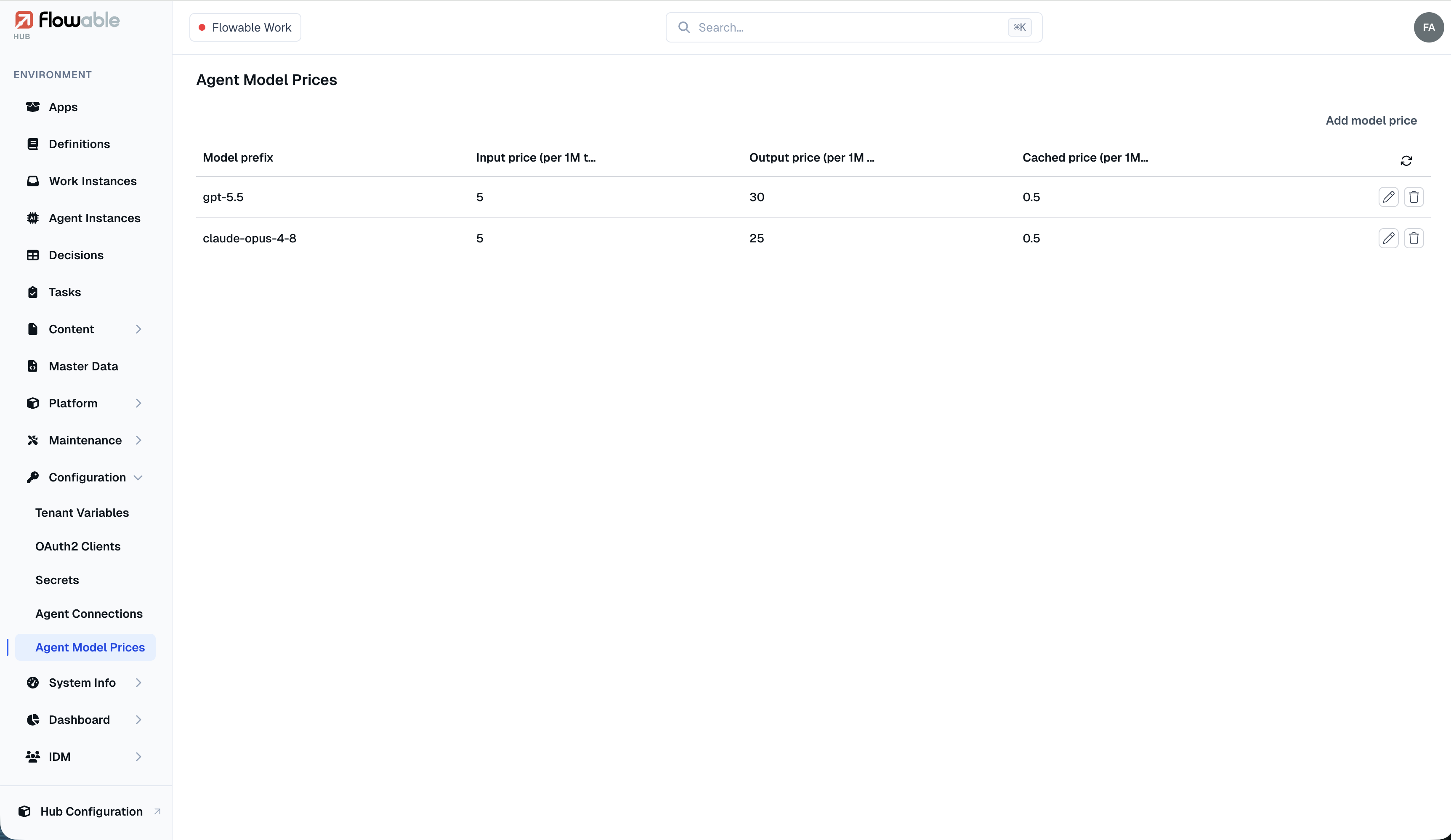
Each row shows a model prefix together with its input, output and cached price per 1,000,000 tokens. Use Add model price to create a new entry, or the edit and delete icons on a row to change or remove an existing one. An entry consists of:
- the model prefix the price applies to;
- the input price per 1,000,000 tokens;
- the output price per 1,000,000 tokens;
- optionally, the cached price per 1,000,000 tokens.
Editing prices requires administrator rights; reading them requires the access-agentData authority.
Viewing cost
Per agent run
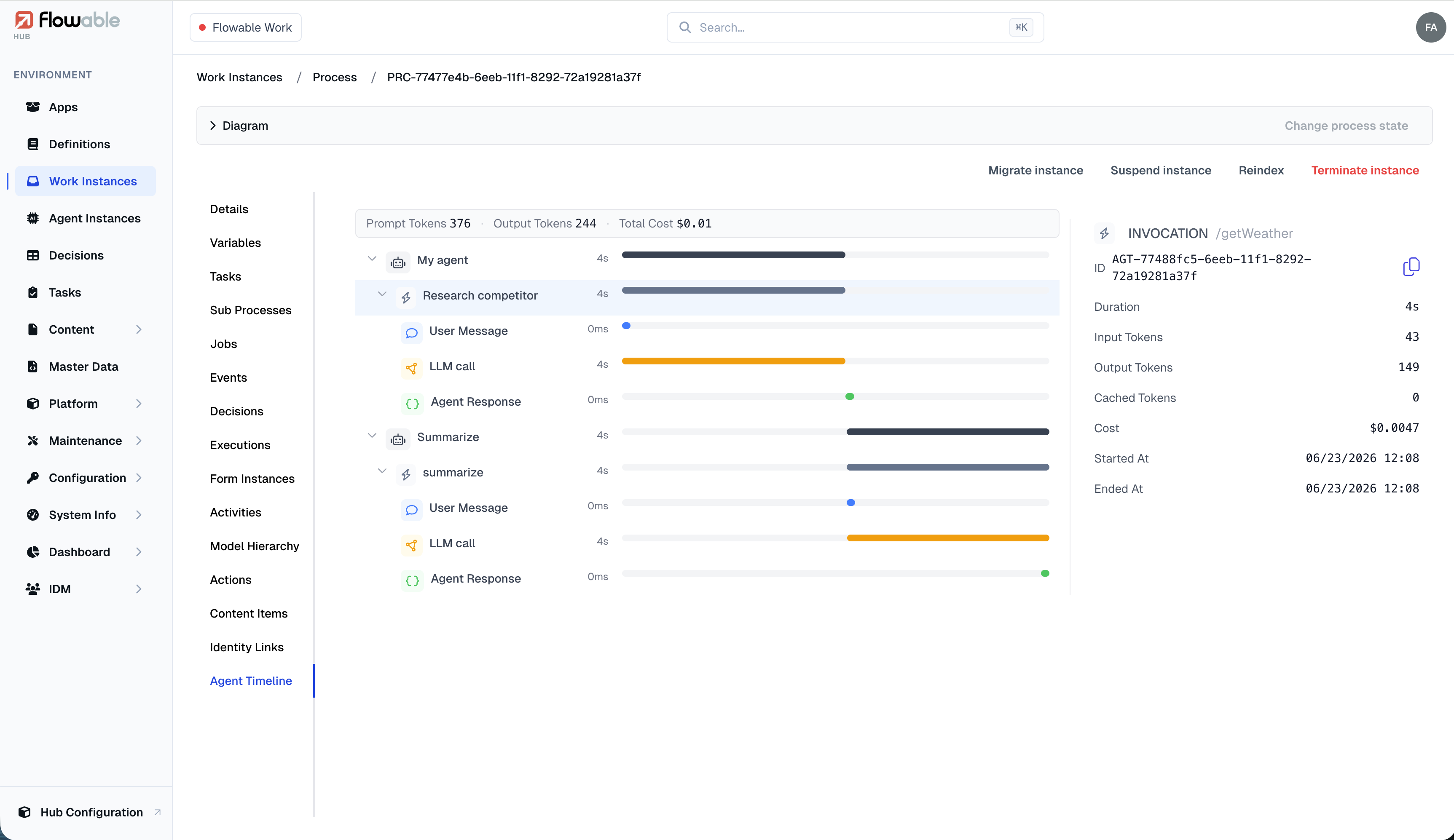
The cost of an individual run is shown on the Agent Timeline tab of a work instance in Hub (Work Instances → instance → Agent Timeline) or in Control on the instance details. The header summarizes the prompt tokens, output tokens and estimated total cost for the whole run, and selecting an individual invocation reveals its input, output and cached tokens together with its estimated cost.
Agent cost dashboard
Each environment in Hub has a built-in Agent cost dashboard (Dashboard → Agent cost) that aggregates estimated cost across agent runs. A date-range selector scopes the data, and the dashboard shows the total, input, output and cached cost as summary cards, the cost over time, and the cost broken down by LLM. As noted above, these figures are estimates.
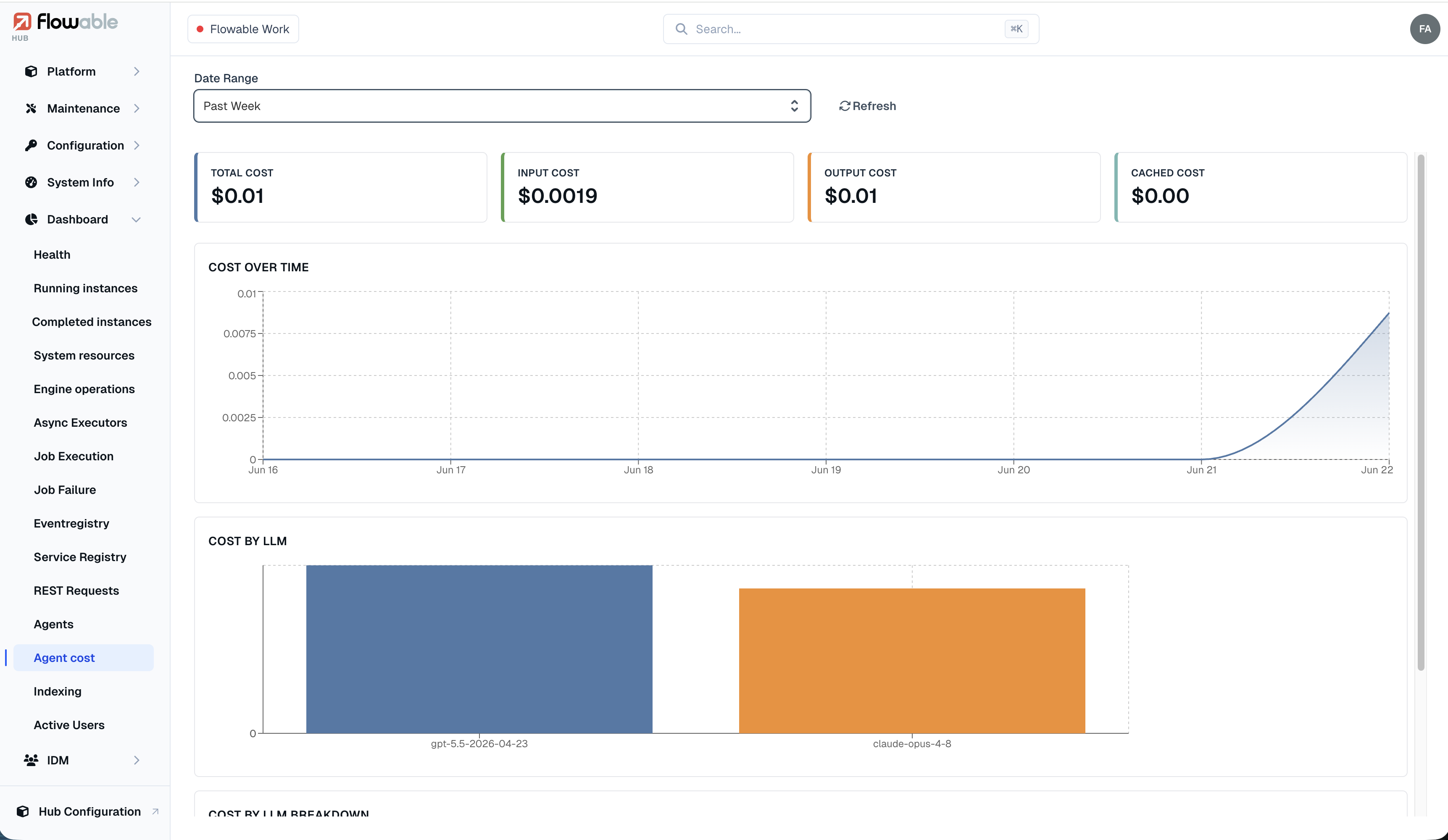
noteThe charts relies on the indexing service (Elasticsearch). When indexing is disabled for an environment, the other cost figures remain available but the over-time breakdown is not shown.
Cost in custom dashboards
The same cost data is available as result mappers that you can use when building your own dashboard components:
Cost by model— cost grouped by LLM (model).Cost Total— the total cost over a period.Cost by date— cost bucketed over time (by day, week or month).