Sync Status
When an app is connected to a Git repository, Flowable Design continuously tracks the synchronization state between the local app and the remote repository. The sync status helps you understand whether your local changes have been committed, whether the remote has new changes, and which specific models have been modified.
Status Banner
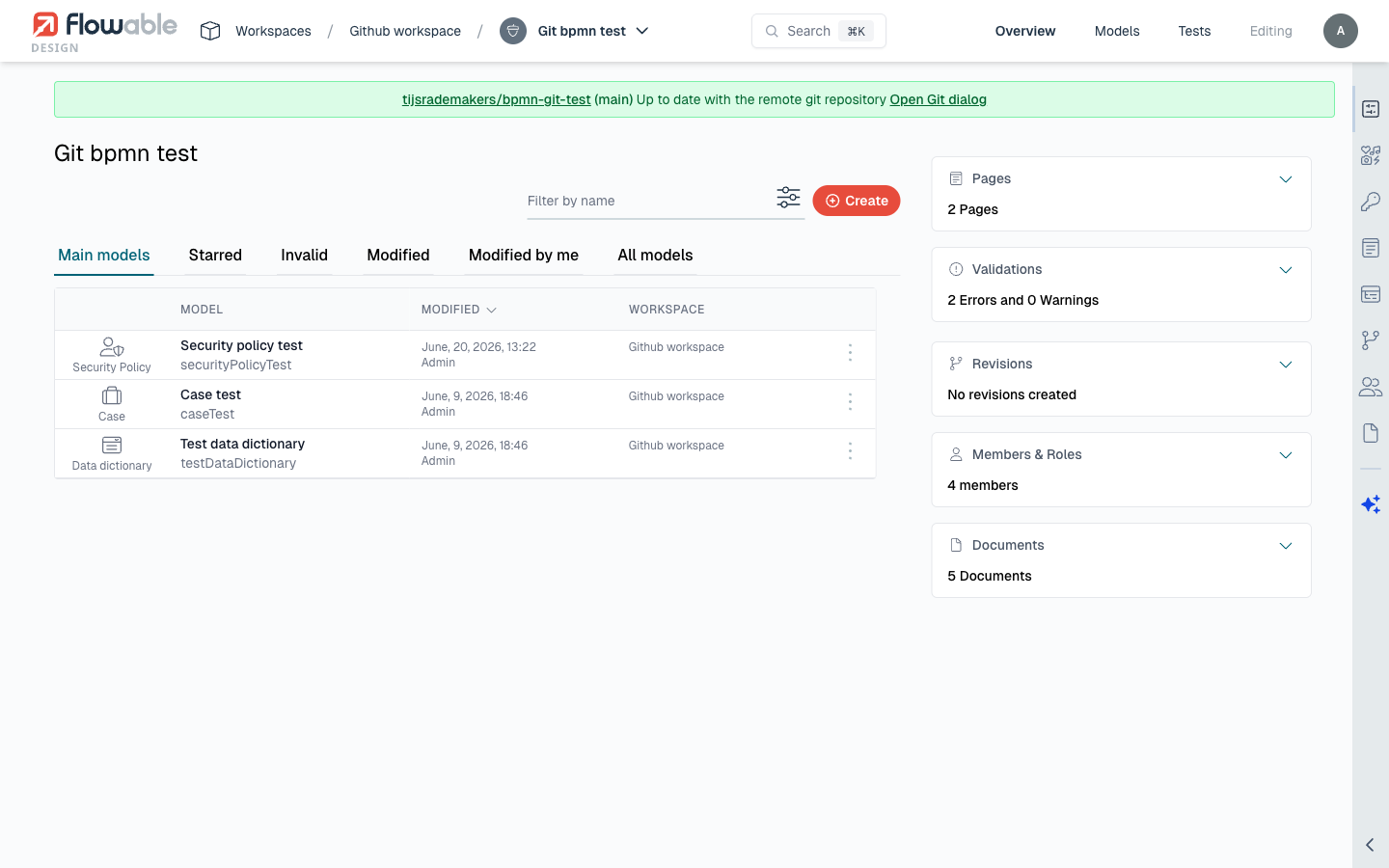
The Git panel displays a status banner at the top of the app details view. This banner provides an at-a-glance summary of the current sync state.
The status banner can show the following states:
| Status | Meaning |
|---|---|
| In sync | The local app matches the remote repository. No local changes, no remote changes. |
| Local changes | One or more models have been modified locally but not yet committed. |
| Behind remote | The remote repository has new commits that haven't been pulled into the local app. |
| Ahead of remote | Local commits exist that haven't been pushed (this can happen in certain sync scenarios). |
Per-Model Change Tracking
Beyond the overall app status, Design tracks changes at the individual model level. In the Git panel, each model that has been modified since the last commit is listed with its change type:
- Modified - The model content has changed compared to the committed version.
- Added - A new model has been added to the app that doesn't exist in the remote repository.
- Removed - A model that exists in the remote repository has been deleted locally.
This per-model tracking lets you see exactly what changed before committing, and allows you to selectively commit only specific models.
Test Model Tracking
Test sets associated with models in the app are also tracked by Git. When you modify, add, or remove test sets, they appear in the changed models list alongside regular models. Test sets can be:
- Included in commits alongside their parent models.
- Stashed and restored independently.
- Reverted to their remote version.
- Compared using visual diffs.
Change Detection
Design determines whether a model has been modified by comparing its current exported content against the last committed version stored in Git. To avoid false positives from non-functional differences (such as attribute ordering in XML), Design normalizes model content before comparison:
- XML-based models (BPMN, CMMN) are canonicalized to remove order-sensitive attributes and normalize whitespace.
- JSON-based models have their arrays sorted deterministically (for example, identity links are sorted by type, user ID, and group ID).
This means that saving a model without making any actual changes will not cause it to appear as modified.
Workspace Key and Change Detection
Starting with 2026.1.0+, apps exported from Flowable Design also contain the key of the workspace they were exported from, and this key is written into the app's JSON when changes are committed. When the same app is tracked across multiple workspaces, for example when different branches are worked on in different workspaces, an app cloned or branched into another workspace is reported as Local changes purely because its workspace key differs. That key also travels with any pull request opened between the two workspaces.
To keep the workspace key out of Git-tracked content, set the following property:
flowable.design.git.exclude-workspace-key=true
The property defaults to false, and it affects only Git-tracked content. The workspace key is still included whenever an app is exported through the API or the UI, or published from Design to Work, regardless of this setting.
Checking for Remote Changes
To check whether the remote repository has new changes:
- Open the Git panel on the app details page.
- The status banner will automatically indicate if the remote is ahead.
- You can also manually trigger a check to fetch the latest remote state.
When remote changes are detected, the status banner updates to show how many new commits are available. Use the Pull action to apply these changes to your local app.