Git Providers
A Git provider defines how Flowable Design authenticates with a remote Git hosting service. You must configure at least one provider before you can connect an app package to a Git repository. Providers can be scoped to a specific workspace or shared across the entire Design instance.
Provider Types
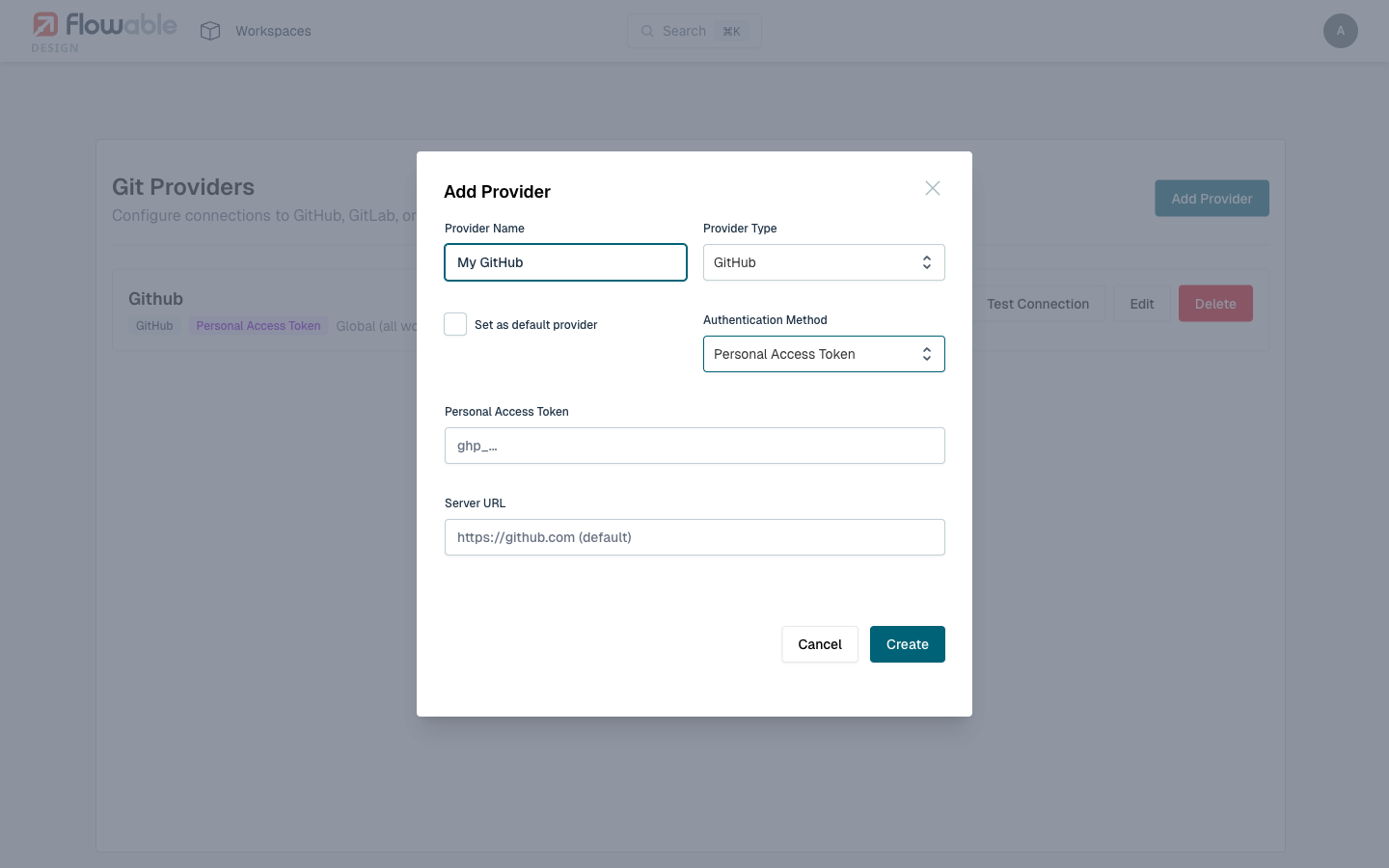
GitHub
GitHub is supported for both GitHub.com and GitHub Enterprise Server instances.
Authentication methods:
| Method | Best For | Details |
|---|---|---|
| GitHub App | Organizations, shared access | A GitHub App installed on the organization. Requires App ID, private key, and installation ID. Provides fine-grained permissions without tying access to an individual account. |
| Personal Access Token (PAT) | Individual developers, quick setup | A classic or fine-grained personal access token with repo scope. Simplest to configure. |
| SSH Key | Secure key-based auth | Authenticate using an SSH private key. The corresponding public key must be added to your GitHub account. |
 tip
tipFor organizations, GitHub App authentication is recommended. It provides fine-grained permissions, doesn't depend on an individual user's account, and allows centralized access management.
GitLab
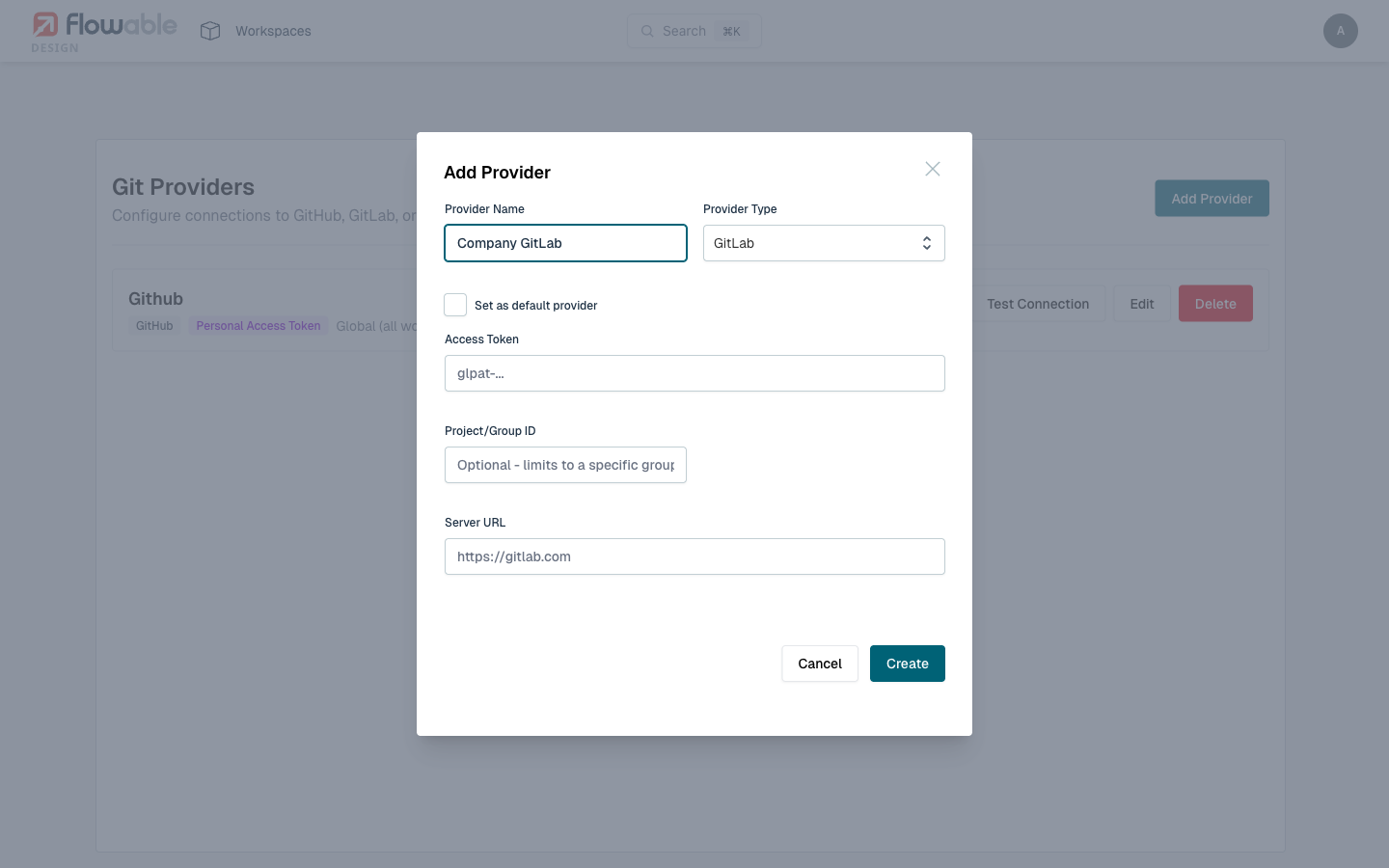
GitLab is supported for both GitLab.com and self-managed GitLab instances. Authentication uses a personal access token with api and read_repository scopes.
| Field | Details |
|---|---|
| Access Token | A GitLab personal access token with api and read_repository scopes. |
| Project/Group ID | Optional. Limits repository browsing to a specific GitLab project or group. |
| Server URL | Defaults to https://gitlab.com. Set to your self-managed GitLab instance URL. |
Bitbucket
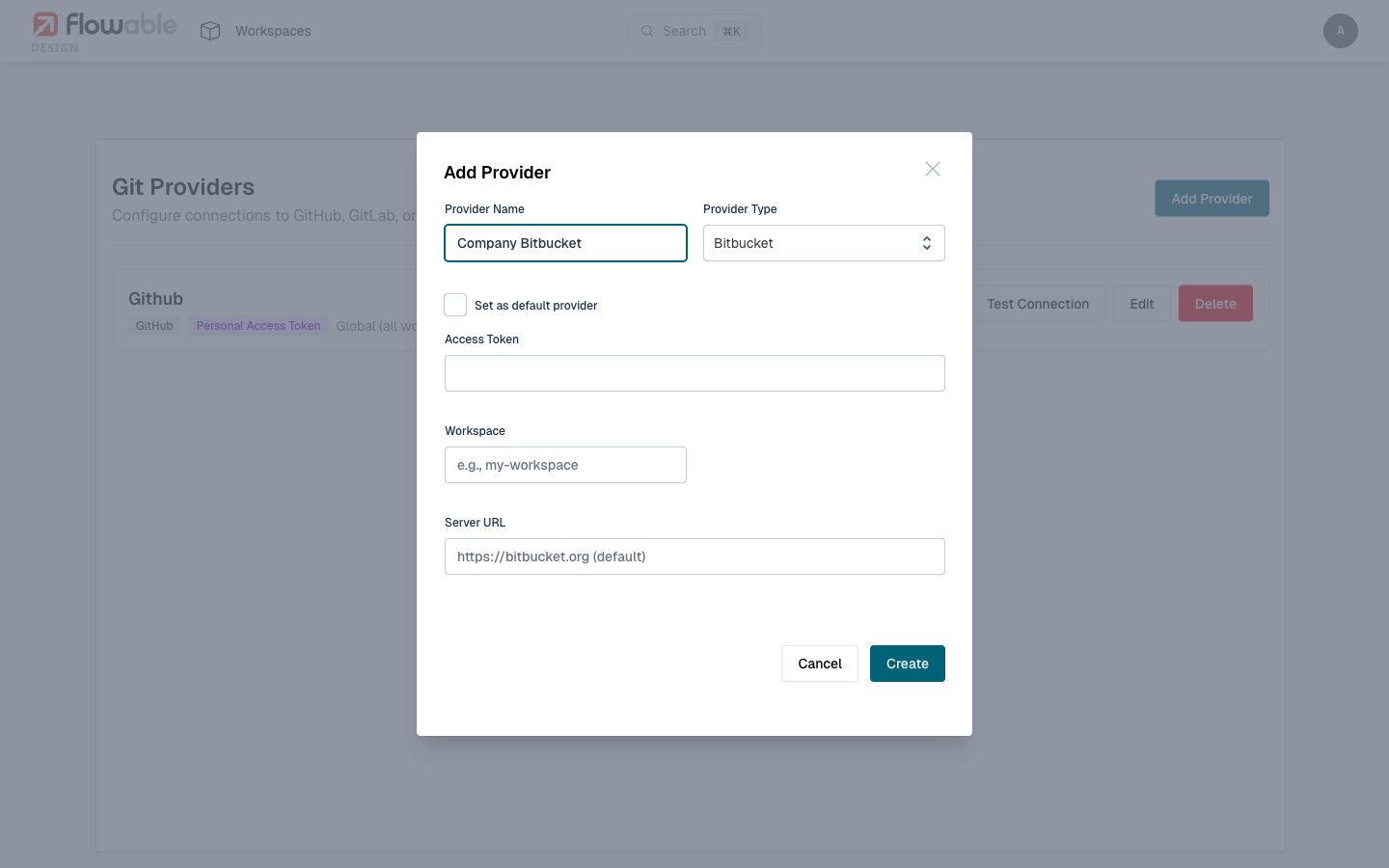
Bitbucket is supported for both Bitbucket Cloud and Bitbucket Data Center / Server.
| Field | Details |
|---|---|
| Access Token | A Bitbucket access token (or app password) with repository:read and repository:write permissions. |
| Workspace | The Bitbucket workspace slug to scope repository access to. |
| Server URL | Defaults to https://bitbucket.org. Set to your Bitbucket Data Center URL for self-hosted instances. |
Managing Providers
Creating a Provider
- Navigate to the Git Providers management page.
- Click Add Provider.
- Select the provider type.
- Fill in the connection details:
- Name - A human-readable name for this provider.
- Server URL - The base URL of the Git hosting server.
- Authentication fields - Vary by provider type (see above).
- Optionally scope the provider to a specific workspace. If no workspace is selected, the provider is available to all workspaces.
- Click Test Connection to verify the credentials.
- Save the provider.
Testing Connections
Before saving a provider, always use the Test Connection button to verify that Design can authenticate with the Git server. The test will:
- Verify the server URL is reachable.
- Validate the authentication credentials.
- Confirm the provider has sufficient permissions to list repositories.
Editing and Deleting Providers
- To edit a provider, open it from the Git Providers list and modify the desired fields. Use Test Connection again after making changes.
- To delete a provider, remove it from the Git Providers list. Existing apps connected through this provider will lose their Git connectivity and need to be reconfigured with a different provider.
 caution
Deleting a provider that is in use by connected apps will disconnect those apps from their Git repositories. Ensure no apps depend on a provider before deleting it.
Credential Security
All sensitive credentials (access tokens, private keys, OAuth secrets) are encrypted at rest using AES encryption before being stored in the database. The encryption key is managed by the Design application's encryption configuration.
Permissions
Which permission is needed to manage a Git provider depends on where that provider lives. A provider belonging to a workspace is governed by that workspace's Manage Git provider permission, while a global provider requires the tenant-wide Manage Git providers privilege, which administrators hold by default. Without either, users can still use existing providers to connect apps and perform Git operations, but they cannot create, edit, or delete provider configurations.
Permissions are named here as they appear on the Roles management page, reachable from the profile menu.
| Permission | Scope | Allows |
|---|---|---|
| Manage Git providers | Tenant (privilege) | Create, edit, delete, and test global Git providers |
| Manage Git provider | Workspace | Create, edit, delete, and test the workspace's Git providers |
| Manage Git | App | Connect apps to repositories and manage the Git configuration |
| Push to Git | App | Commit and push changes, and create branches and pull requests |
Some Git actions in the panel require the app's Edit package permission rather than a Git-specific one — pulling, switching branches, reverting, and stashing. See Git panel for the full list.