Inbound Channel
A channel model can be created in Flowable Design by clicking the Create button and then clicking on the Channel entry under Model Type. The regular model creation popup is then shown where a model name and key can be set.
A channel model can also be created from a process or case model when selecting a channel property in the property panel of event-capable activities.
At the top of the page, the type of channel needs to be chosen: Inbound or Outbound. An inbound channel is used to receive events, while an outbound channel sends them out.
The inbound channel model UI look as follows:
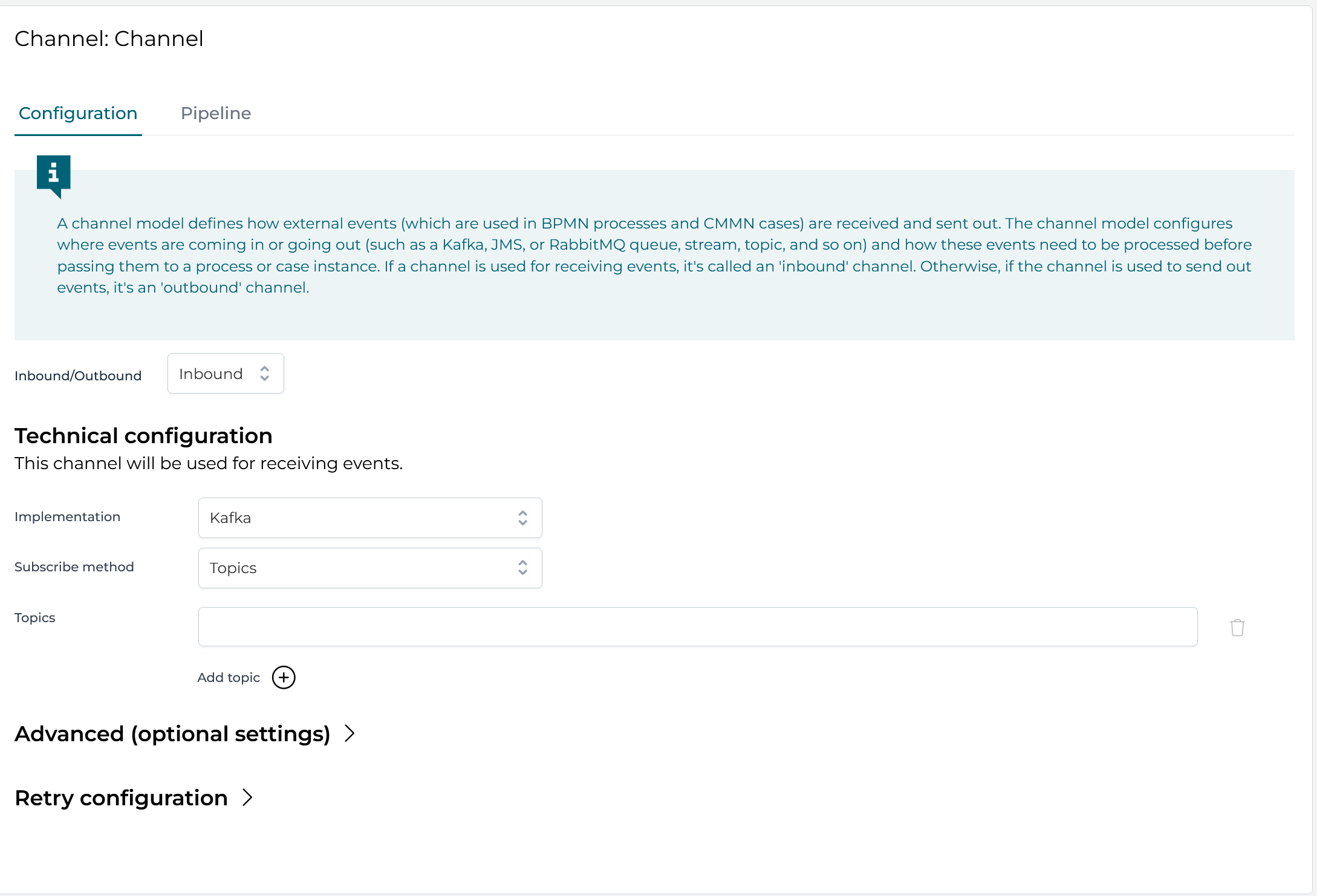
Depending on the channel implementation it contains different sections, described in the next subsections.
The following inbound channel types are available:
- AWS SQS Inbound Channel
- Camel Inbound Channel
- Custom Inbound Channel
- Email Inbound Channel
- JMS Inbound Channel
- Kafka Inbound Channel
- RabbitMQ Inbound Channel
- REST Inbound Channel
All inbound channels share the same Pipeline configuration.