Kafka Inbound Channel
Technical configuration
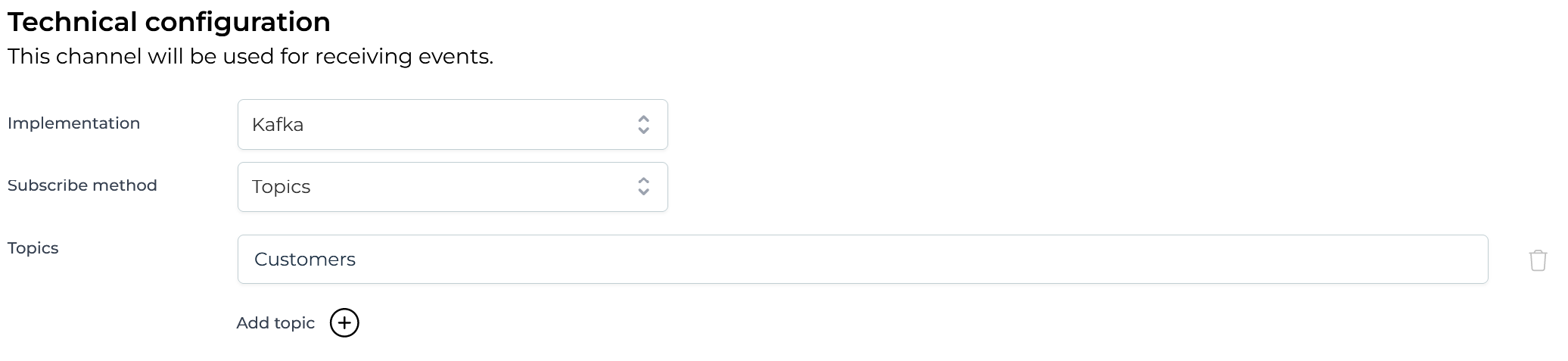
In this section the topics that the channel should consume need to be configured. It is possible to provide multiple topics. An expression can be used to determine the name of the topic that should be consumed.
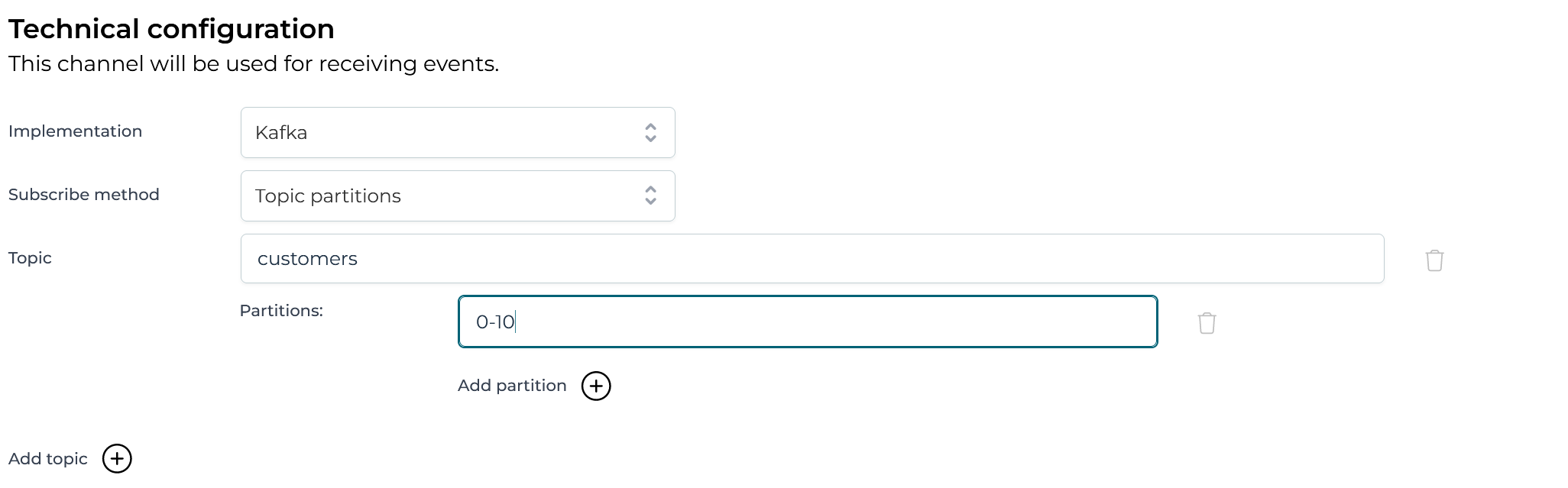
This is a more advanced option that allows to configure the topics and the particular partitions that should be consumed. The partitions that should be assigned to the consumer can be a string or an expression that resolves to a string. The string (or the resolved expression) can contain a comma-delimited list of partitions, or ranges of partitions (e.g. 0-5, 7, 10-15). e.g. in the configuration from the image the consumer is going to only consume events that are in partitions 0 to 10 in the customers topic.
Advanced configuration
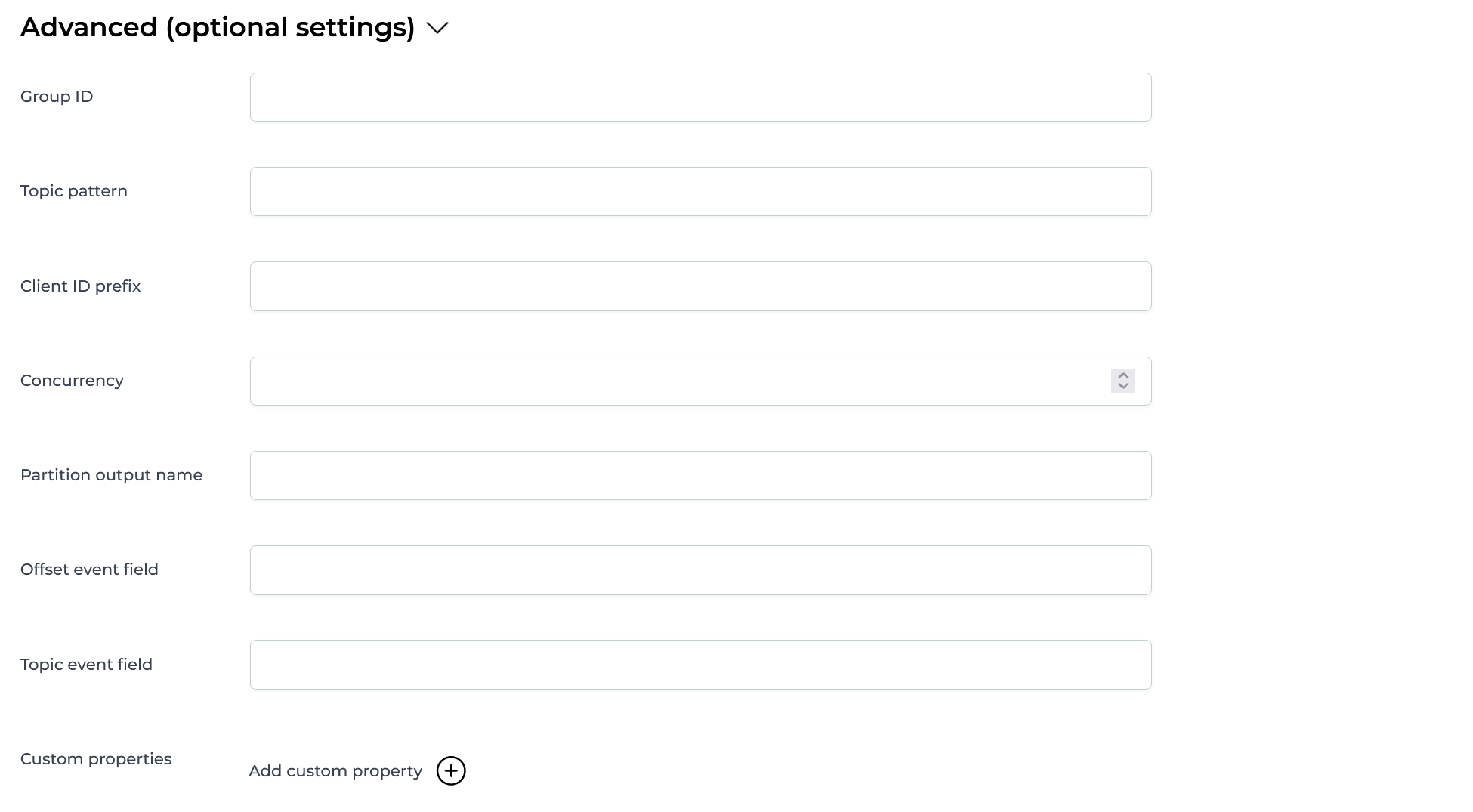
All options here are optional and allow using expressions. The available options are:
- Group ID - The identifier of the Consumer group that the Kafka consumer will be part of. By default, this is a combination of the channel key and tenant
- Client ID prefix - The prefix for the Kafka Consumer client id
- Concurrency - A numerical value or an expression resolving to a number, that is used to configure how many Kafka Consumers should be started.
- Partition event field - The name of the event field in which the partition on which the event was received needs to be written to
- Offset event field - The name of the event field in which the offset from the partition needs to be written to
- Topic event field - The name of the event field in which the topic on which the event was received needs to be written to
- Custom properties - A Kafka consumer can have many custom properties set. This can be used to configure those properties. e.g. this can be used to configure a custom value deserializer
Retry configuration
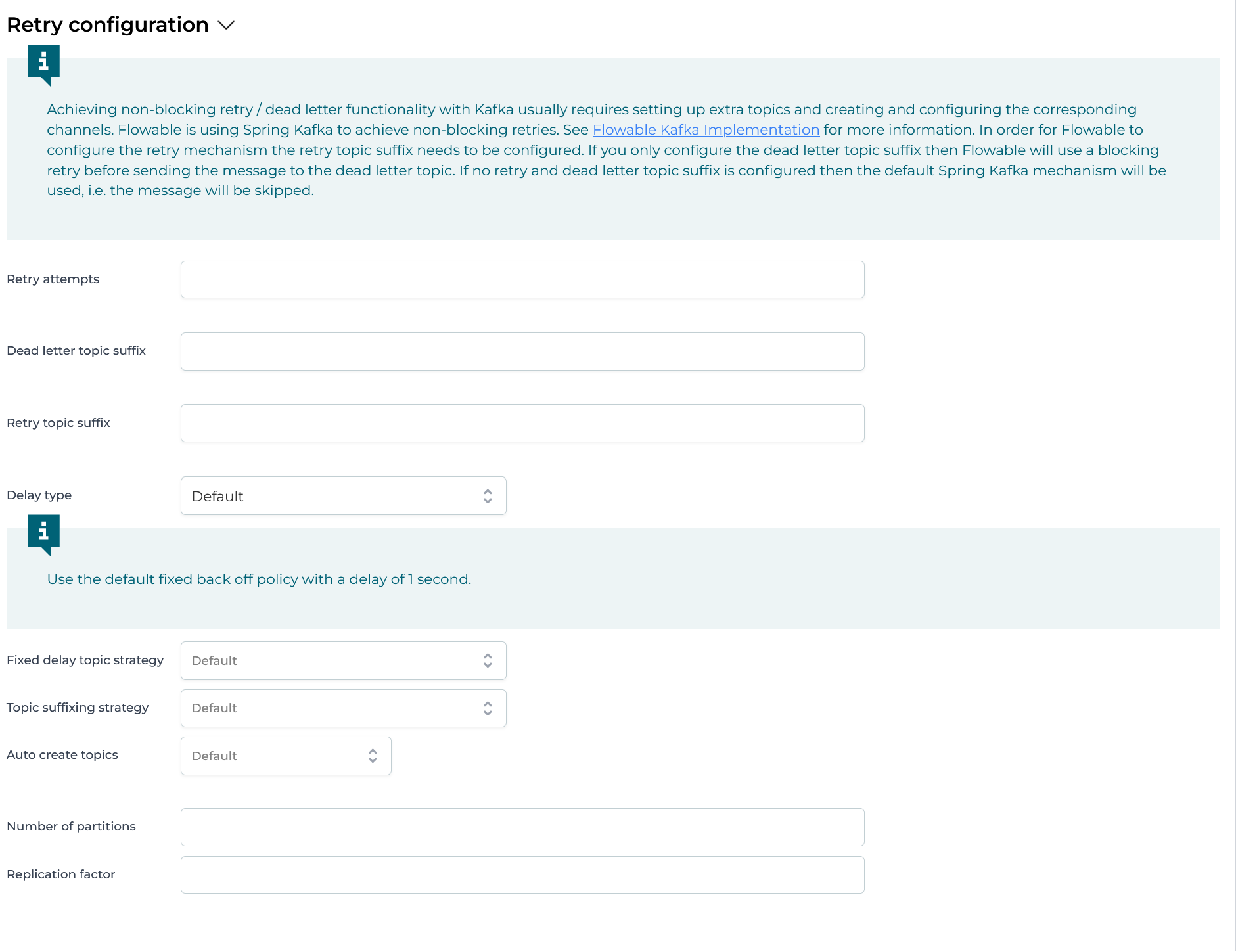
Achieving non-blocking retry / dead letter functionality with Kafka usually requires setting up extra topics and creating and configuring the corresponding channels. Flowable is using Spring Kafka to achieve non-blocking retries. See Spring Kafka Non-Blocking Retries for more information.
In order for Flowable to configure the retry mechanism the retry topic suffix needs to be configured. If you only configure the dead letter topic suffix then Flowable will use a blocking retry before sending the message to the dead letter topic. If no retry and dead letter topic suffix are configured then the default Spring Kafka mechanism will be used, i.e. the message will be skipped.
Flowable exposes the following properties (expressions are allowed for some of them)
- Retry attempts - The number of attempts made before the message is sent to the DLT. Expressions must resolve to an integer or a string that can be parsed as such.
- Dead Letter Topic Suffix - The suffix that will be appended to the main topic in order to generate the dead letter topic. This can be an expression that resolves to a String. If not set then messages will not be sent to a dead letter topic. e.g. If the configured topic is
customersand the suffix is-dltthen the name of the topic to which dead letter messages will be sent iscustomers-dlt - Retry Topic Suffix - The suffix that will be appended to the main topic in order to generate the retry topics. This can be an expression that resolves to a String. Depending on the topic suffixing strategy the retries will also be suffixed with the delay value or a simple index. If not set then messages will not be sent to a retry letter topic, blocking retries will be used and messages will be sent to the dead letter topic (if configured). e.g. If the configured topic is
customers, the suffix isretryand the number of attempts is 3 then the messages will be sent to:customers-retry-0andcustomers-retry-1 - Delay type (BackOff type)
- Default - Use the default fixed back off policy with a delay of 1 second
- Fixed - A back off policy that pauses for a fixed period of time before continuing. The delay in milliseconds can be configured when this is picked
- Exponential - A backoff policy that increases the back off period for each retry attempt up to a limit. The initial interval controls the initial delay for the first retry, and the multiplier controls by how much the delay is increased for each subsequent attempt. The delay interval is capped at the max interval. The initial / max interval in milliseconds and the multiplier can be configured when this is picked. e.g. when the initial interval is 100, the max interval is 1000, the multiplier is 2 and the number of attempts is 4 the number of delays will be: 100, 200, 400
- Exponential Random - A backoff policy that increases the back off period for each retry attempt up to a limit and uses randomized delays. The initial interval controls the initial delay for the first retry, and the multiplier controls by how much the delay is increased for each subsequent attempt. The delay interval is capped at the max interval. The initial / max interval in milliseconds and the multiplier can be configured when this is picked. e.g. when the initial interval is 100, the max interval is 1000, the multiplier is 2 and the number of attempts is 4 the number of delays might be: 152, 320, 675 (random distributed within the ranges of [100-200, 200-400, 400-800])
- Uniform - A back off policy that pauses for a random period of time before continuing. The min / max back off period in milliseconds can be configured when this is picked.
- Fix delay topic strategy - Whether to use a single or multiple topics when using a fixed delay. By default, it will use a single topic.
- Topic suffixing strategy - Whether the retry topics will be suffixed with the delay for that topic or a simple index. This is in addition to the configured retry topic suffix. By default, they will be suffixed with the index value.
- Auto create topics - Whether the retry and dead letter topics should be automatically created.
- Default - Topics will be auto created based on a global configuration of the Flowable runtime
- Yes - Always auto create topics
- No - Never auto create topics
- Expression - An expression that evaluates to
trueorfalsethat will be evaluated to decide whether the topics should be auto created. - Number of partitions - The number of partitions for the automatically created topics. Used only when auto create topics is evaluated to
true. This can be an expression that evaluates to an integer or a String that can be parsed as such. By default, it is 1. - Replication factor - The replication factor for the automatically created topics. Used only when auto create topics is evaluated to
true. This can be an expression that evaluates to an integer or a String that can be parsed as such. By default, it is 1.
Pipeline
The pipeline configuration is the same for all channels. See Inbound Pipeline for more details.